Each one began as a real problem in client work: a session replay tool that could not
say when it was allowed to record, a consent banner that cost more than the site it sat
on, a visitor counter that dragged half a megabyte behind it, an address field that
wanted a real mailbox for a single download. Each became the fix. Three of them are
already live and free to use; the fourth is being rebuilt. All four are maintained by
one person.
Session replay that rebuilds the page from a text blueprint instead
of filming it — and that records nothing at all until a visitor has agreed.
Session replay has two problems that no amount of interface polish fixes. It is
heavy, because recording a screen means shipping pixels; and it is legally
awkward, because watching someone move through a page is behavioural observation
whether or not the vendor calls it that. MousePlayer answers both at the
architecture level. The page is reconstructed from a text blueprint and a stream
of coordinates rather than a video file, and the recorder stays switched off
until a consent signal arrives. It is the largest of the four projects on this
page, and the only one not yet publicly launched.
What it does
Live viewer, not just a report — sessions stream over WebSockets and can
be watched while they are happening, following one visitor across tabs instead
of reading about them the next morning.
Replay without video — the player re-creates the page from the recorded
blueprint and moves a virtual cursor across it, so text stays sharp instead of
dissolving into compression artefacts. Easing and idle detection keep the
motion organic rather than robotic.
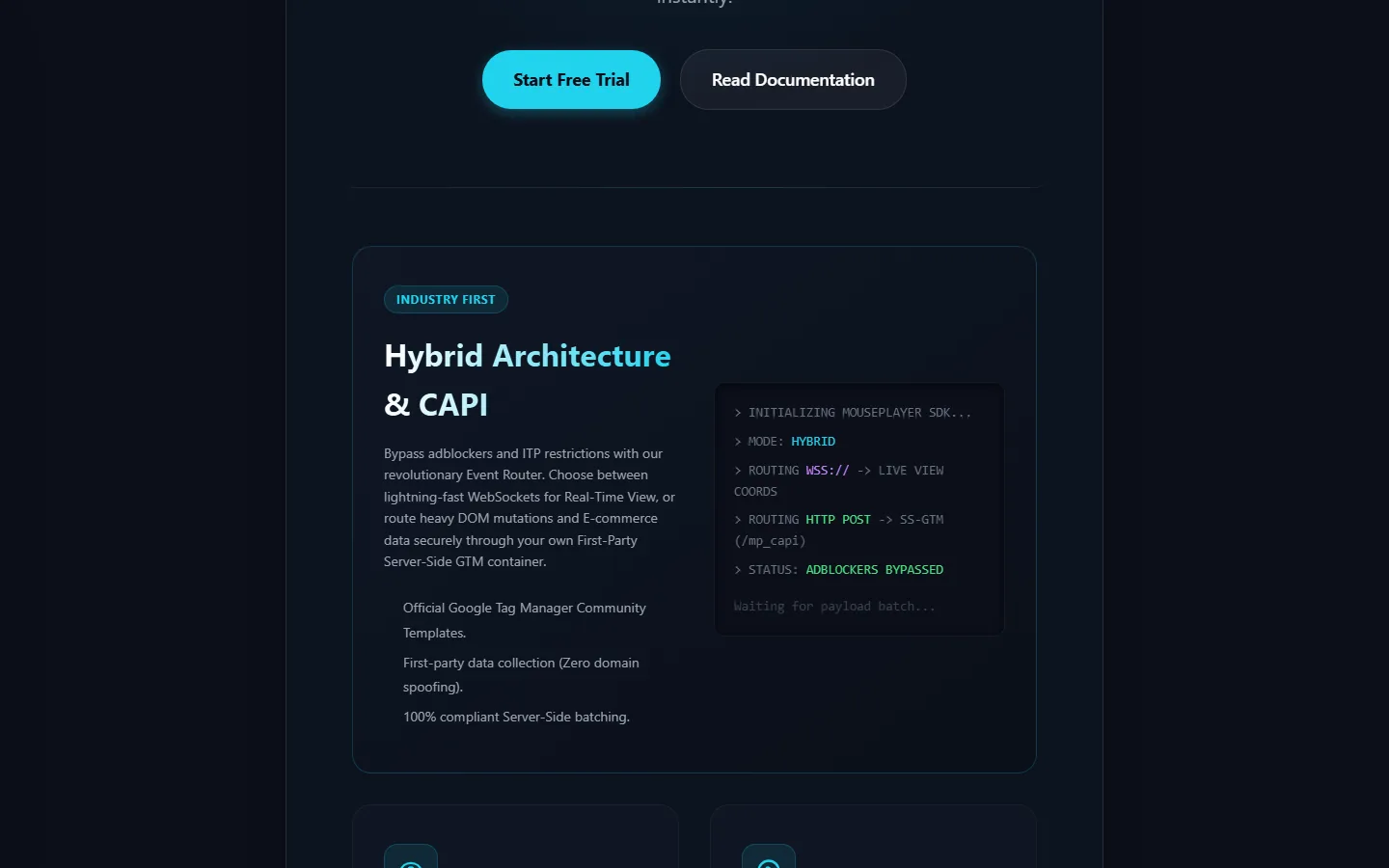
Hybrid transport with a CAPI leg — live coordinates travel over
wss://, while heavy DOM mutations and e-commerce payloads are
routed through your own first-party server-side GTM container at
/mp_capi. Official Google Tag Manager community templates, no
domain spoofing, batching on the server side.
Heatmaps and funnels — click, scroll and attention maps aggregated over
thousands of sessions, and conversion funnels built on the standard
view_item, add_to_cart and purchase
events, with session filters on numeric values such as cart value.
Interventions while it still matters — hesitation and rage-click patterns
can trigger a chat agent during the session, not an apology e-mail the day
after the cart was abandoned.
Consent before capture, not after — with no signal there is no session
ID, nothing written to storage, no cookie and no open connection. Global
Privacy Control is honoured unconditionally and overrides any yes.
Integrations in both directions — a GA4 and GTM event bridge, a BigQuery
connector for raw telemetry, error links into Sentry, Bugsnag and Datadog RUM,
product-analytics bridges to PostHog, Mixpanel and Amplitude, replay links
inside Intercom, LiveChat and Zendesk, and outgoing webhooks for Zapier and
Make.
Under the hood
Capture model
DOM snapshot telemetry: one text blueprint of structure and styling, then a
numeric stream of pointer positions, scroll depth, click targets and resize
events. Kilobytes per session, sent asynchronously, no video codec anywhere
in the path.
Viewport fidelity
The visitor's exact viewport is recorded — 390×844 on a phone, 1920×1080 on
a desktop — and replayed in a scaled sandbox with the same ratio. Rotation
and window resizing mid-session are captured as events and applied during
playback, so the layout never drifts out of context.
What is deliberately not captured
Passwords, payment fields and typed input are suppressed on the device, so
the text never leaves the browser; cross-origin iframes appear as
placeholder blocks because the same-origin policy forbids reading them;
canvas and WebGL are kept as static frames; idle stretches past twenty
minutes are compressed out of the replay.
Consent handling
Three installation paths: blocked by the consent tool itself through
type="text/plain" and a category attribute, driven explicitly
through a queue call, or detected automatically. On withdrawal every
listener and observer is detached, storage is cleared, and the buffer is
discarded rather than flushed — otherwise closing the tab would deliver
exactly the data that was just refused.
Regions
A project may be allowed to record without a prior signal in named regions,
but the EU and EEA, the United Kingdom, Switzerland, Brazil and Canada
cannot be released, because there consent has to come first. The region is
resolved server-side and only the country is kept; the IP address is not
stored.
Storage and transport
Workspace data sits on servers inside the European Union. Telemetry streams
and stored sessions are encrypted with TLS 1.3, in transit and at rest.
Plans
No feature paywall — replay, heatmaps, the GA4 and CAPI bridges,
interventions and PII masking are in every tier. What scales is
concurrency, retention and project count: from a permanently free plan with
ten concurrent visitors and seven days of retention up to an enterprise
agreement with a year.
The whole pitch in two lines, and a demo underneath it: the control
below the button decides how many live cursors move across the hero.
mouseplayer.com/features
The transport is the genuinely unusual part. The console beside it is
an illustration of what the router does, not a live log.
The public address still shows a placeholder: the platform is being rebuilt from
scratch, and both screenshots above come from the build in development rather than
from something you can sign up for today. It is listed here because it is the piece
of work the other three grew out of, and because the parts that are hardest to
retrofit — the transport and the consent gate — are the parts that are already
settled.
A complete consent management platform that does not ask for a
credit card, a trial period, or a per-domain fee.
Consent tooling became a subscription business while the underlying job stayed the
same: set default signals before any tag fires, block what has not been agreed to,
and keep a record that survives an audit. consented.eu does exactly that — hosted
for free, or installed on your own infrastructure from the same source tree.
What it does
Four banner layouts — bottom banner, top banner, modal and slide-in, each
with a second layer listing categories, services and cookie tables.
Script blocking that starts early — declarative via
type="text/plain", plus pattern-based blocking through a
MutationObserver that runs inside the stub, before the runtime loads.
Google Consent Mode v2 — defaults are set in the stub ahead of GTM; the
update follows the decision, mapped category by category to signal.
Append-only consent log — timestamp, configuration version, language and
an HMAC-pseudonymised IP. A change never overwrites; it appends.
Design editor with a conscience — colours, radii, layout and custom CSS
with a sandboxed live preview and automatic WCAG contrast checking.
Versioned publishing — every release freezes the configuration as an
immutable snapshot, so it stays traceable which visitor saw which version.
Under the hood
Rendering
Shadow DOM, fully keyboard operable, no styling bleed into the host page.
Languages
32 in the catalogue, complete texts for German and English, with a fallback
chain across browser language, html lang and site default.
Reporting
Consent rates by domain, language, country and layout over time; pseudonymous
export as CSV or JSON — IP only as HMAC, page URL only as SHA-256.
Trust boundary
Domain verification by DNS TXT record or file upload; unverified domains are
restricted at delivery time.
Honesty
The feature page separates what is implemented from what is planned. A
capability is only listed above the line once it actually ships.
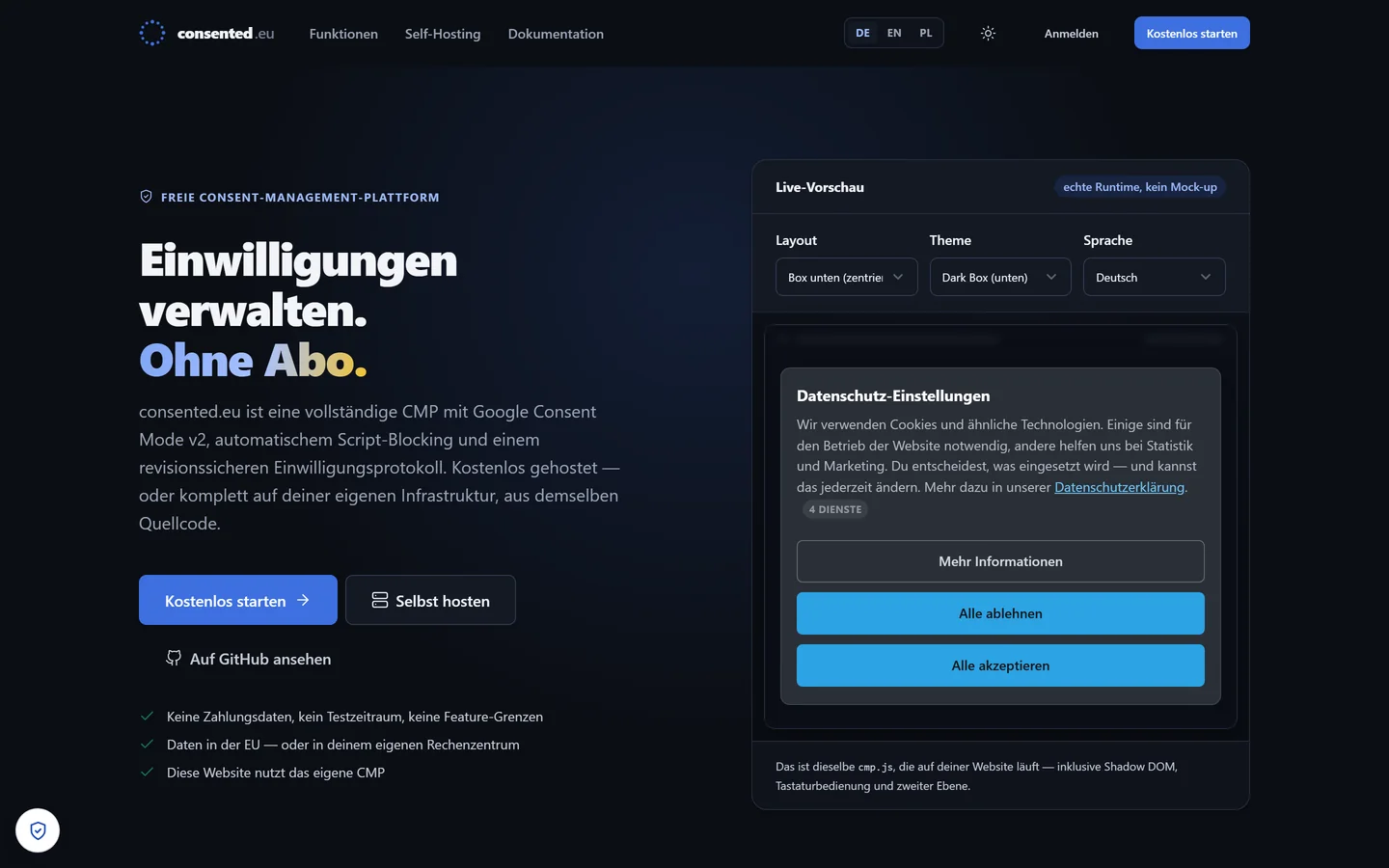
The preview on the start page is not a mock-up — it runs the same
cmp.js that ships to a customer site, so layout, theme and
language can be tried out before signing up for anything.
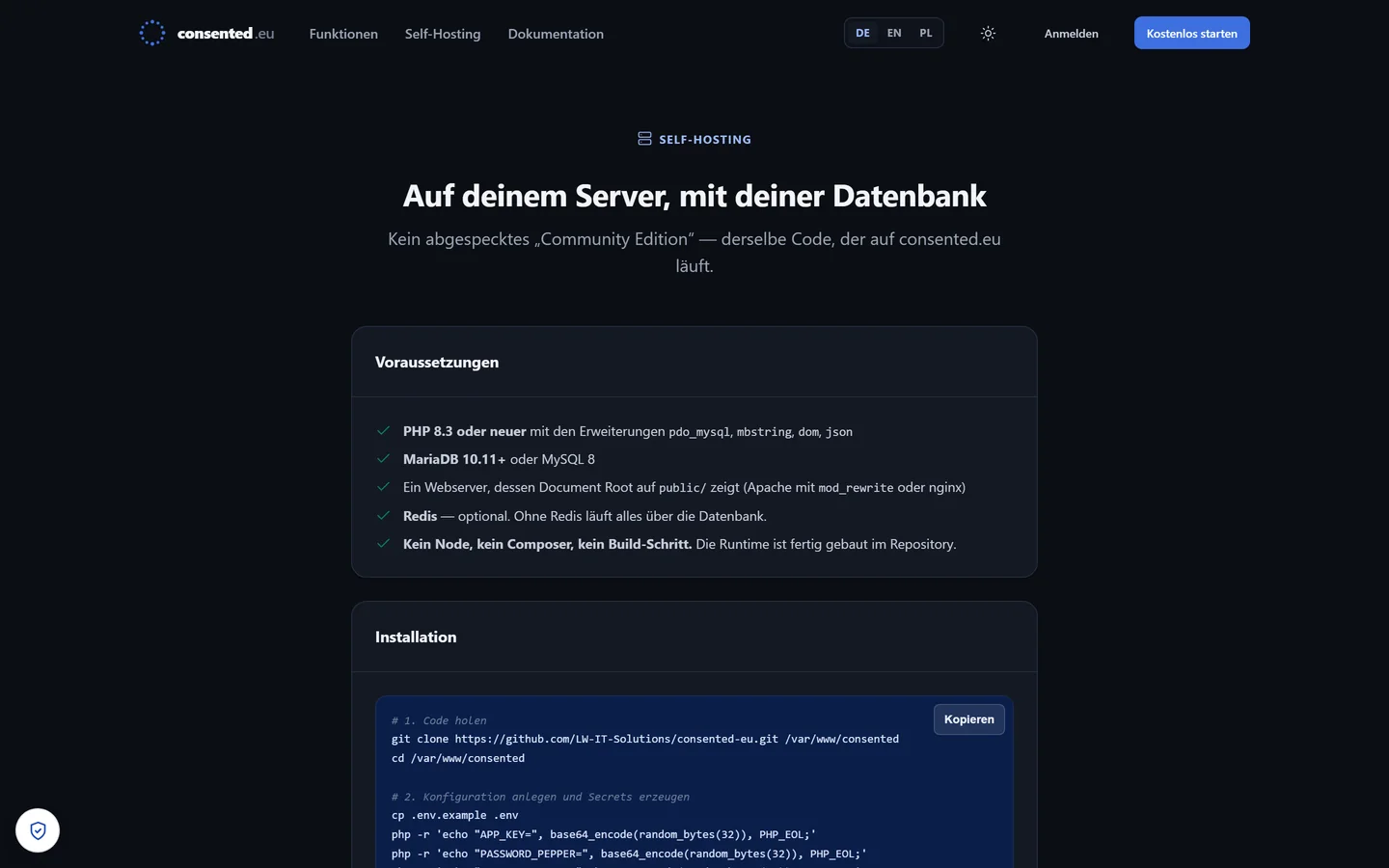
consented.eu/self-hosting
Same source tree, your datacentre. The hosted service exists for
convenience, not as a lock-in.
Visitor counters that weigh under a kilobyte and set no cookies —
pick a design, copy the snippet, done.
The visitor counter is the oldest widget on the web and most surviving ones now drag
a tracking stack behind them. Stats4U keeps the original bargain: a small image, a
number that goes up, and statistics you can look at — without an account, without
consent plumbing, and without a payload that outweighs the page it sits on.
What it does
Dozens of designs — classic odometers, modern SVGs, and animated variants
that build themselves up, overshoot and settle.
Build your own — shape and colours chosen freely, with the preview
updating as you go, then copy the generated code.
Real-time figures — today, yesterday and the full history, with bounce
rate and average visit duration.
Active-tab detection — the system distinguishes a visitor actually
reading the page from one who left it open in a background tab.
Geolocation that is actually shown — animated globes and regional maps
for several countries, plus a flag-counter wizard in cubic, horizontal and
vertical styles.
Device and technology breakdown — browsers, screen resolutions and
hardware classes, all without a cookie banner in front of them.
Under the hood
Payload
Under 1 KB on the visitor side. No cookies are set, so no consent layer is
required for the counter itself.
Onboarding
No registration. A counter number is issued, the snippet is copied, and the
counter starts on the next page view.
Reach
Interface in ten languages — English, German, Polish, Spanish, French,
Italian, Portuguese, Russian, Chinese and Japanese.
Support
A contact form with reCAPTCHA that loads only when the form is
opened — the anti-abuse script is not on every page by default.
SVGCookielessReal-timeGeolocationi18n × 10< 1 KB
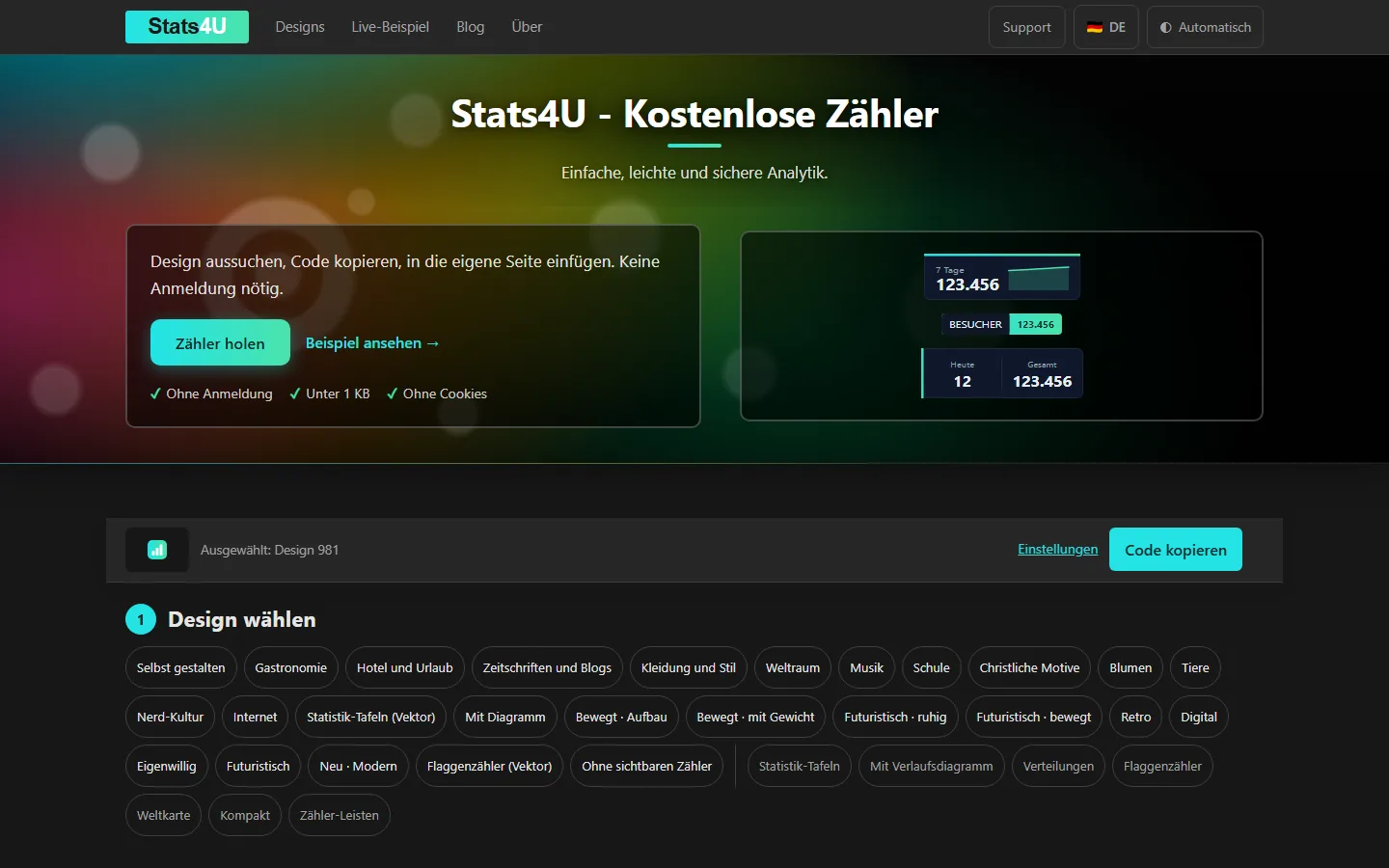
stats4u.net
Three steps on one page: choose a design, adjust it, copy the code.
The counter examples on the right are live renderings, not images.
stats4u.net/about
What the counter records, written out — and what it deliberately
does not.
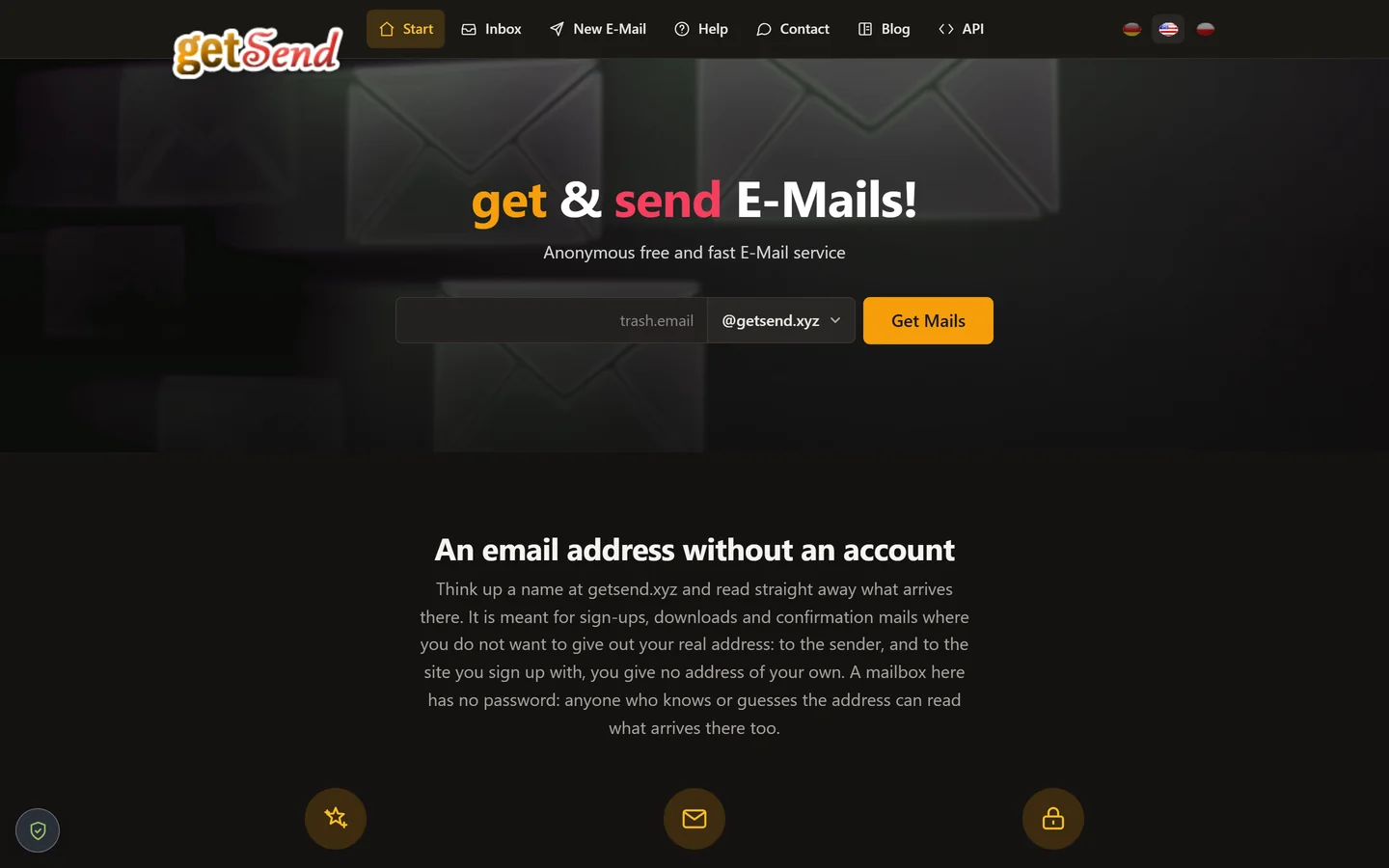
An e-mail address without an account — think up a name, read what
arrives, walk away.
Sign-ups, downloads and confirmation mails routinely ask for an address that will
never be used again. getSend hands one over immediately: no registration, no
password, no payment details. Unlike most throwaway services it also sends, replies
and forwards, and carries attachments in both directions.
What it does
Instant address — pick any name at @getsend.xyz and the
mailbox exists on the spot; nothing to confirm, nothing to install.
Mail arrives on its own — the inbox updates without a reload and
announces new messages with a sound.
Not read-only — reply to a message, forward a single one, and send
attachments as well as receive them.
Switch at will — move to another address whenever you like, or simply
abandon the one you used.
Programmatic access — an API for automated sign-up flows and test
harnesses that need a fresh address per run.
Three interface languages — German, English and Polish, switchable in
the header.
The honest part
No password, by design
A mailbox here has no owner. Anyone who knows — or guesses — the address can
read what arrives in it. The service says so on its own start page rather
than burying it in the terms.
What it is for
Registrations, downloads, one-off confirmations. Neither the sender nor the
site you sign up with receives an address of your own.
What it is not for
Anything you would mind a stranger reading: password resets, invoices,
account recovery. Use a real mailbox for those.
SMTPPush inboxAttachmentsREST APIDE · EN · PL
getsend.xyz
The entire onboarding is one field and one button. Everything below
the fold explains what the service will and will not do for you.
getsend.xyz · Deutsch
Same page, German interface. The language switch is in the header,
not hidden in a footer.
These four came out of consulting work on tracking, server-side analytics and
privacy-first architecture. If something in that neighbourhood is giving you trouble,
the blog has the long-form version and the
toolbox has a bunch of small tools that solve one thing each.


 English
 Deutsch
 Polski