English
Sending Camera Motion Alerts to Home Assistant: Understanding ONVIF Delays

Management Summary
Camera motion alerts can connect what a camera sees with actions in Home Assistant, such as a home automation response. ONVIF is a communication standard that allows supported cameras to share these events. Receiving an alert can be quicker than repeatedly asking the camera whether movement occurred. The benefit depends on both camera support and a working network connection. Reliable use also needs the system to recognise when an alarm has ended and to resume receiving events after an interruption.
Contents
ONVIF events can deliver motion alerts to Home Assistant faster than checking a state at fixed intervals. The advantage comes from an already waiting Pull-Point request or a camera notification sent to a webhook. Detection, network transport and processing still take time. Neither delay-free nor loss-free delivery is guaranteed.
The implementation details below refer to Home Assistant Core 2026.10.4 and its onvif-zeep-async 4.3.0 dependency. The protocol explanation follows ONVIF Core Specification 26.06.
Pull-Point: a request that waits
CreatePullPointSubscription requests a subscription and returns an endpoint. PullMessages then retrieves available notifications. If messages are already queued, the camera responds immediately up to the requested message limit. Otherwise the request waits for an event or the timeout. This is long polling, not operation without requests.
With Basic Notification, Subscribe instead registers a receiving address. The camera opens a connection to that address and delivers Notify messages. Home Assistant uses a webhook for this purpose: a receiving URL to which the camera sends its notifications. Subscription lifetime and renewal matter for both methods; actual support and reliability depend on the device.
What a five-second interval means
For an interface that reports only the current alarm state, almost a full interval can pass after detection before the next check. A five-second interval therefore adds up to approximately five seconds of waiting. A short alarm between checks can be missed unless the interface retains alarm states or provides an event history.
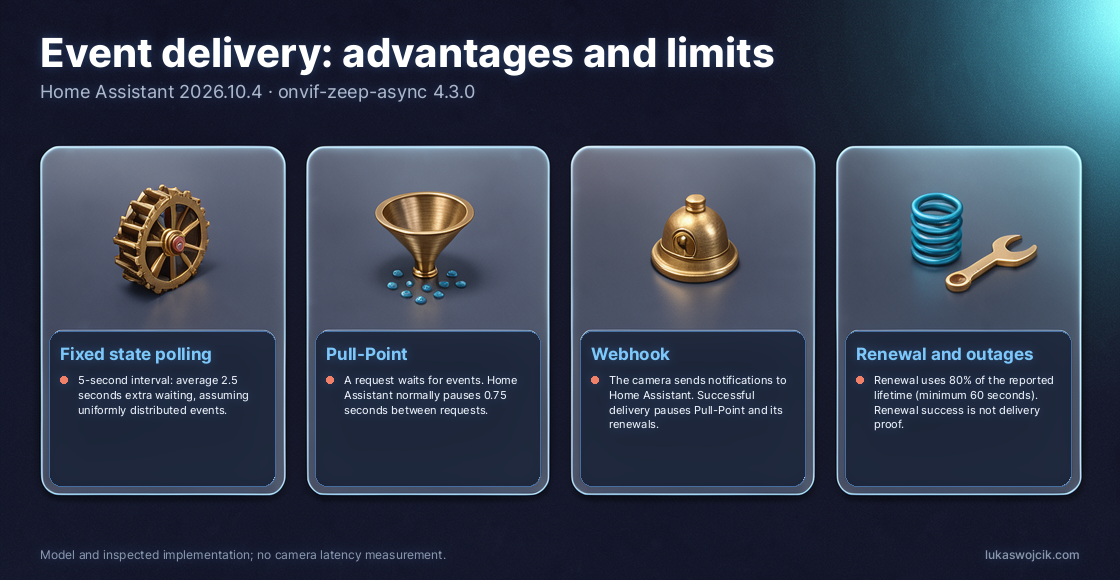
The familiar half-interval average assumes events distributed uniformly across the interval and checks that run regularly. Under those assumptions, a five-second interval adds an average 2.5 seconds. This is a calculation, not an end-to-end latency measurement: detection, transport, queues and automation processing add further time.
What Home Assistant actually does
The inspected integration first tries Pull-Point. With the default “Enable Webhooks” option active, it also attempts a webhook. A successfully processed webhook notification pauses Pull-Point retrieval. Pull-Point renewals are paused as well, allowing the old subscription to expire. A continuously active parallel receiving path is therefore not guaranteed.
Pull-Point requests specify a 60-second timeout and a limit of 100 messages. The integration normally waits 0.75 seconds between requests. Some failures cause longer retry delays. Events during those gaps need a later request; a waiting request does not remove every source of delay.
The requested subscription lifetime is ten minutes. However, the library schedules renewal at 80 percent of the lifetime reported by the camera, falling back to the requested duration when timing information is absent. Eight minutes therefore fits a ten-minute grant but is not a universal interval for all cameras. The calculation applies a minimum lifetime of 60 seconds before multiplying by 0.8; unusually short grants therefore need particular attention.
Network paths and outages
Pull-Point starts with a connection from Home Assistant to the camera’s ONVIF endpoint. A stateful firewall must permit the associated replies. The event transport itself does not require internet access. Webhooks additionally need a reachable path from the camera to the actual registered Home Assistant address and port.
A webhook blocked from the beginning can remain unnoticed while working Pull-Point continues. A later silent failure after switching to the webhook is harder to detect. Successful subscription renewal does not prove that notifications reach the receiver. Test motion and actual sensor changes therefore matter. A blocked reverse path cannot be described as guaranteeing no event loss.
Firewall, proxy and router idle limits should accommodate the 60-second Pull-Point timeout with sufficient margin. A value barely above 60 seconds alone does not guarantee uninterrupted operation.
Diagnosing faults before blaming firmware
HTTP 500 can carry a normal SOAP fault response. The fault content and operation matter. Initial checks include ONVIF permissions, camera time, enabled detection, supported topics, endpoint addresses and network paths. Subscription limits, renewal failures and firmware version follow.
The integration and library handle various failures through retries or new subscriptions. Many messages appear at debug level; unknown or unparseable events can also generate warnings. Logs narrow down causes but do not alone prove a device defect. An NVR performing its own detection on an RTSP stream is a possible alternative architecture, requiring suitable software and computing resources.
Testing automations meaningfully
Known event types that actually arrive can create suitable Home Assistant entities, such as motion binary sensors. The camera must detect the event, and Home Assistant must map the reported event category to the appropriate sensor. A useful test covers alarm onset, alarm clearing, restart and a deliberately interrupted connection. Restored connectivity should again produce observable state changes.
Questions and answers
How many requests occur without events?
An idealised Pull-Point cycle with a 60-second wait and a 0.75-second pause yields about 59 retrieval requests per hour over time. A granted ten-minute lifetime adds about 7.5 renewals, for roughly 67 requests. Setup, synchronisation, events, other Home Assistant requests and retries are excluded. Fixed polling produces 720 requests per hour at five-second intervals and 3,600 at one-second intervals.
Does a failed subscription switch to fixed state polling?
The inspected event manager has no such replacement. Retries and possible switches between webhook and Pull-Point remain part of event processing. Unsupported or lost events are not automatically reconstructed.
How can Pull-Point be tested specifically?
Disabling “Enable Webhooks” makes the integration try Pull-Point, provided the device actually supplies that service. Testing should cover real state changes and behaviour after an interruption.
Related articles