English
 Deutsch
 Polski
GA4 Data Manager: A Tour of the New Overview in Admin

Management Summary
Data Manager is a new page in Google Analytics 4 Admin, available as an open beta since 6 November 2026. In one place it shows where a property's data comes from, which data streams it arrives through and which products it is passed on to. Below that sit 28 tiles for links to Google products, cost data from ad platforms and imports from files or databases. This tour explains the page's four areas using real screenshots of the interface in English, German and Polish, including where the translations are still incomplete.
Contents
Research as of 19 November 2026.
Since November 2026, Google Analytics 4 Admin has a new menu item directly below “My preferences”: Data manager, marked BETA. Google announced the page as an open beta in its release notes on 6 November 2026, as a central place for product links, data streams and first-party data. The article GA4 Data Manager beta: Audit connections and avoid duplicate conversions covers how to check existing connections. This tour walks through the page itself from top to bottom, using screenshots of the lukaswojcik.com property in English, German and Polish.
Where the page is and what it is called
The route leads through the gear icon at the bottom left into Admin. The left-hand panel then lists “Admin”, “My preferences” and, below them, “Data manager”. According to Google’s help, opening it requires the appropriate permissions on the property. Subproperties and roll-up properties do not currently support the Data Manager landing page.
The name follows the interface language: Data manager in English, Datenverwaltung in German, Menedżer danych in Polish. Google’s help calls it “Data Manager”. The name is used twice, because Google Ads has its own interface with the same name. Adding “in Google Analytics” to guides and support tickets avoids the mix-up.
Four areas on one page
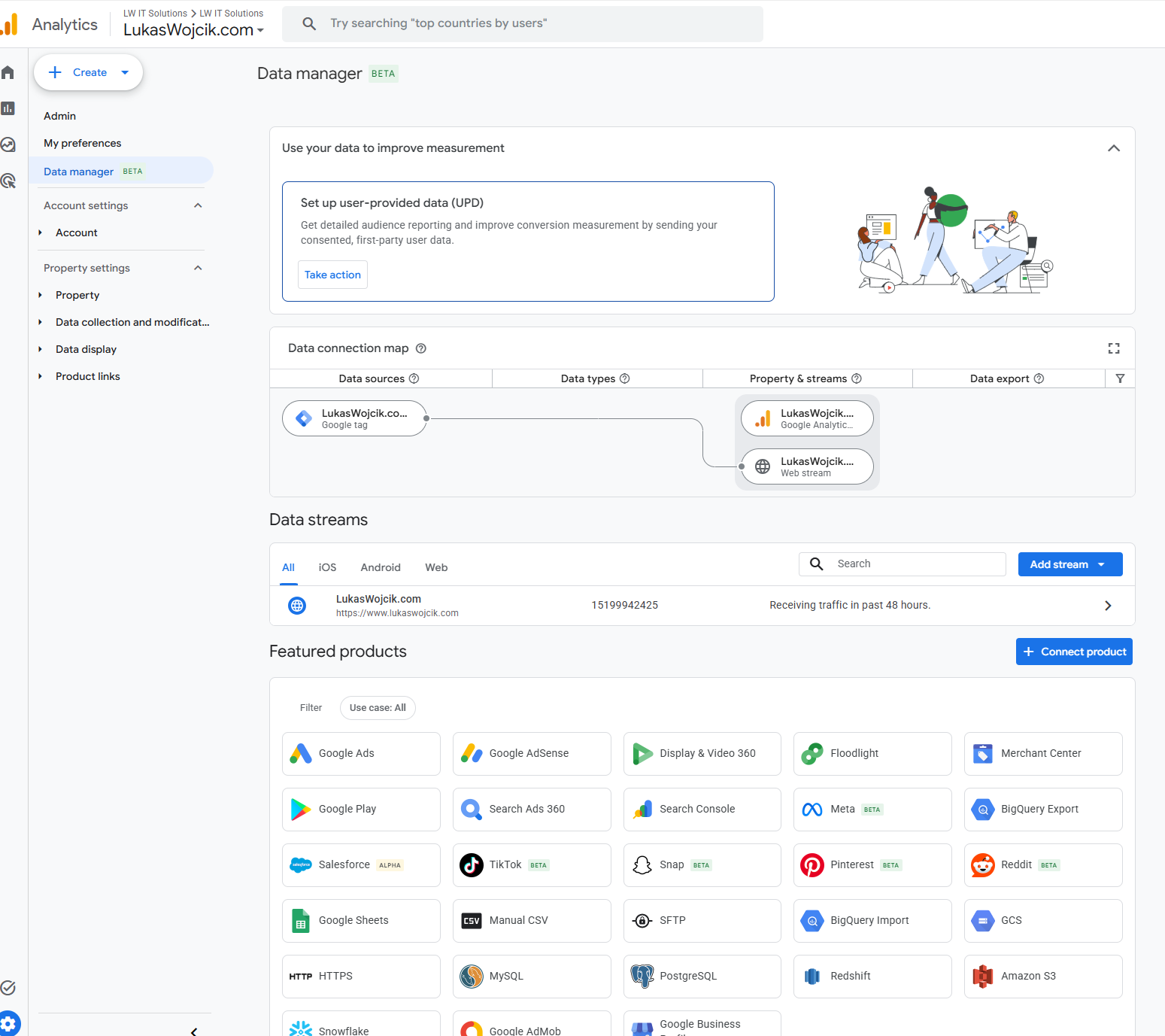
The page consists of four blocks, from top to bottom:
- User-provided data card: a card for setting up data that visitors provide themselves.
- Data connection map: a graphic showing where data comes from and where it goes.
- Data streams: the web and app streams of the property.
- Featured products: 28 tiles for links and imports.
At the top: user-provided data
The first card promotes a feature GA4 has had for a while: user-provided data (UPD). This means details that visitors type in themselves, such as an email address or a phone number. A website sends them to Analytics with consent, and Google matches them there with its own data. The help names three purposes: Customer Match audiences in linked advertising products, enhanced conversions for cross-device attribution, and demographics and interests reports.
The setup has prerequisites. It needs the Editor role or higher at property level, a link to Google Ads and acknowledgement of the user-provided data policy. According to Google, that acknowledgement cannot be undone; processing only stops when the checkbox is cleared again. Properties in the “Health” industry category do not get the feature. The data can be hashed with SHA-256, either in the site’s own code or by the feature itself before sending.
The card’s button reads “Take action” in English, “Aktiv ausführen” in German and “Podejmij działanie” in Polish. It only opens the setup. The help describes the feature explicitly for consented data, so the consent banner and the privacy policy should describe the same state before it is switched on.
The data connection map
Next comes the connection map. The property sits in the middle, data sources on the left, destinations on the right. Four columns structure the graphic:
- Data sources: where the data originates, such as a Google tag, Tag Manager, a CRM, a Google Ads link or an offline file.
- Data types: the type of data import, if any. Product link integrations skip this column.
- Property & streams: the property with its web and app streams.
- Data export: linked products that receive data from Analytics.
For lukaswojcik.com the map is short. A single path leads from the Google tag to the Analytics property and its web stream. The “Data types” and “Data export” columns stay empty: according to the map, this property has no data import and no linked destination. An empty column is useful information in itself, for instance when a link was assumed that does not exist.
According to Google’s help, the map has three views. The mini view is the default and groups sources together. The expanded view shows details such as tag IDs or table names. The full-page view opens via the icon at the top right. Hovering over a node highlights its whole path. A click opens a summary card with a filter, and another filter sits next to the column headers. Sources with problems appear broken or marked red, and a “Fix” button leads straight to the repair.
Data streams
The third block lists the data streams with the tabs All, iOS, Android and Web, plus a search field and the “Add stream” button. For lukaswojcik.com it shows one web stream with its address, stream ID and the status “Receiving traffic in past 48 hours.” The arrow at the end of the row leads to the stream. Little is new here; the list simply sits in the same place as the connections.
Featured products: 28 tiles
The largest block is a wall of 28 tiles, with a “Use case: All” filter above it and the “Connect product” button at the top right. Five tiles carry a BETA badge, one an ALPHA badge. The tiles sit side by side without headings, even though they do three very different things:
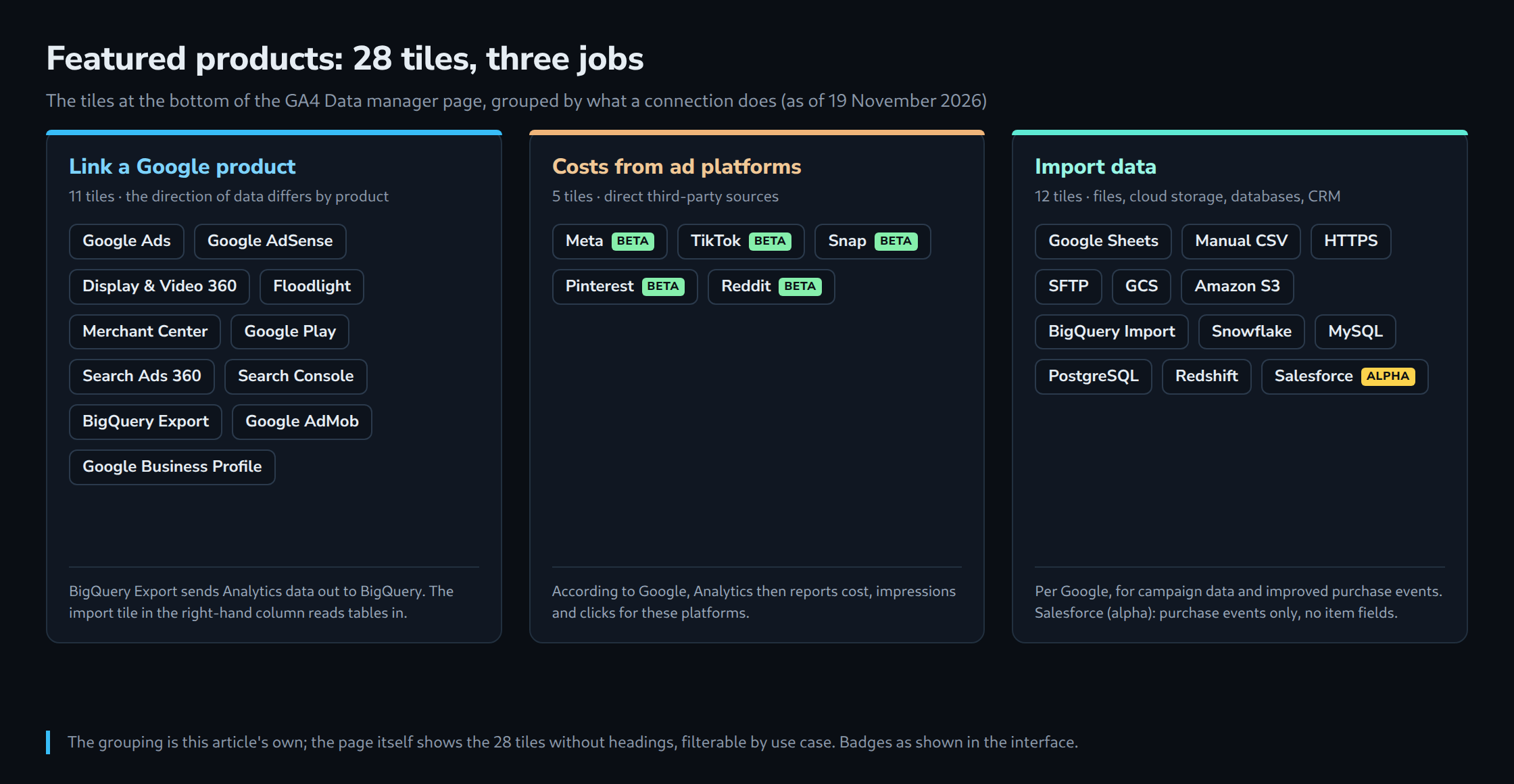
Linking Google products (11 tiles). Google Ads, AdSense, Display & Video 360, Floodlight, Merchant Center, Google Play, Search Ads 360, Search Console, BigQuery Export, AdMob and Business Profile. The direction of data depends on the product. One example of how easily they get confused: BigQuery Export sends raw Analytics data to BigQuery, while BigQuery Import in the third group reads tables from BigQuery into Analytics.
Costs from ad platforms (5 tiles, all beta). Meta, TikTok, Snap, Pinterest and Reddit. Google calls them direct third-party sources for cost data import. Analytics then reports cost, impressions and clicks for these platforms next to its own sessions.
Importing data (12 tiles). Google Sheets, Manual CSV, HTTPS, SFTP, Google Cloud Storage (GCS), Amazon S3, BigQuery Import, Snowflake, MySQL, PostgreSQL, Redshift and Salesforce. According to Google, these sources are available for campaign data import and for improved web purchase events. Campaign data is imported at query time only. Salesforce is labelled alpha, delivers purchase events only and no item fields yet. For every import source Google requires at least the Editor role on the property, plus credentials with read access to the source. Databases have to be reachable from the internet or allowlisted for Google.
At the very bottom, a link leads to the full list of sources.
Three languages, three states of translation
The three screenshots show that the beta is not fully translated yet. The column headers of the connection map are in English in all three languages, and some tiles stay English too:
| Element | German | English | Polish |
|---|---|---|---|
| Menu item | Datenverwaltung | Data manager | Menedżer danych |
| Button of the first card | Aktiv ausführen | Take action | Podejmij działanie |
| Connection map | Karte mit Datenverbindungen | Data connection map | Mapa połączeń do transmisji danych |
| Column headers | same | Data sources, Data types, Property & streams, Data export | same |
| Product area | Ausgewählte Produkte | Featured products | Polecane usługi |
| Button above it | Produkt verknüpfen | Connect product | Połącz usługę |
| Import tile | BigQuery-Import | BigQuery Import | Import BigQuery |
| File tile | Manual CSV | Manual CSV | Manual CSV |
| Tab for websites | Web | Web | Sieć |
One quirk of the Polish interface: it uses “usługa” both for the property (“Ustawienia usługi”) and for linked products (“Połącz usługę”). A Polish guide is therefore clearer with the English term in brackets. The same holds for all three languages: Google’s help articles use the English names, and they make screenshots from different interfaces easy to match.
What the overview does not do
Data Manager is a beta and, according to Google, may still change. A missing menu item in a subproperty or roll-up property is therefore not a measurement error.
A visible connection also only proves the technical path. The map does not show whether amounts, currencies and identifiers are right. More important still is the boundary with Google Ads: according to Google, new connections are set up in Analytics, and data then flows in one direction only, from Analytics to Google Ads or Google Marketing Platform. Connections already running in Google Ads or Marketing Platform stay there. The same pipeline active in both interfaces can count conversions twice. Item data and third-party campaign data, on the other hand, can only be set up in Analytics Data Manager. Existing data imports of the property appear there automatically.
Nothing was changed on the property for this tour. The page works well as an inventory: it shows in one picture what is connected and what is missing. Turning that into a change is what the check procedure in the article from 11 November covers.
Questions and answers
Where is Data Manager in GA4?
In Admin, reached through the gear icon at the bottom left. The left-hand panel lists “Data manager” with a BETA badge directly below “My preferences”. Subproperties and roll-up properties do not currently support the landing page.
Is GA4 Data Manager the same as Data Manager in Google Ads?
No, they are two interfaces with the same name. According to Google, new connections are set up in Analytics, and data then flows only from Analytics to Google Ads or Google Marketing Platform. Connections already running there stay there; a second identical pipeline in Analytics can count conversions twice.
What is the difference between the BigQuery Export and BigQuery Import tiles?
The direction. BigQuery Export sends the property’s raw data to BigQuery. BigQuery Import reads tables from BigQuery into Analytics, according to Google for campaign data and improved purchase events.
Why do the German and Polish pages show English terms?
The beta is not fully translated yet. The column headers of the connection map (Data sources, Data types, Property & streams, Data export) and tiles such as “Manual CSV” also appear in English in the German and Polish interfaces. This has nothing to do with the property itself.
Related articles