English
GA4 Key Events vs. Google Ads Conversions: Why the Two Counts Differ

Management Summary
Google Analytics and Google Ads can report different totals for the same business activity because they answer different questions. Analytics highlights important website actions, while advertising reports connect results with advertising contacts. Counting rules and dates can also differ. The article explains how to separate these intended differences from missing or duplicate measurements. This matters for budget decisions: matching totals is less useful than understanding which purchases or enquiries each report actually represents.
Contents
GA4 and Google Ads may count different actions or assign a purchase to different days. Missing or repeated tracking events can also change the totals. A result of 50 versus 42 purchases is a reason to reconcile the comparison, not proof that either system is correct. There is no substantiated universal rule here that a gap of up to 20 percent is harmless.
Three different comparisons
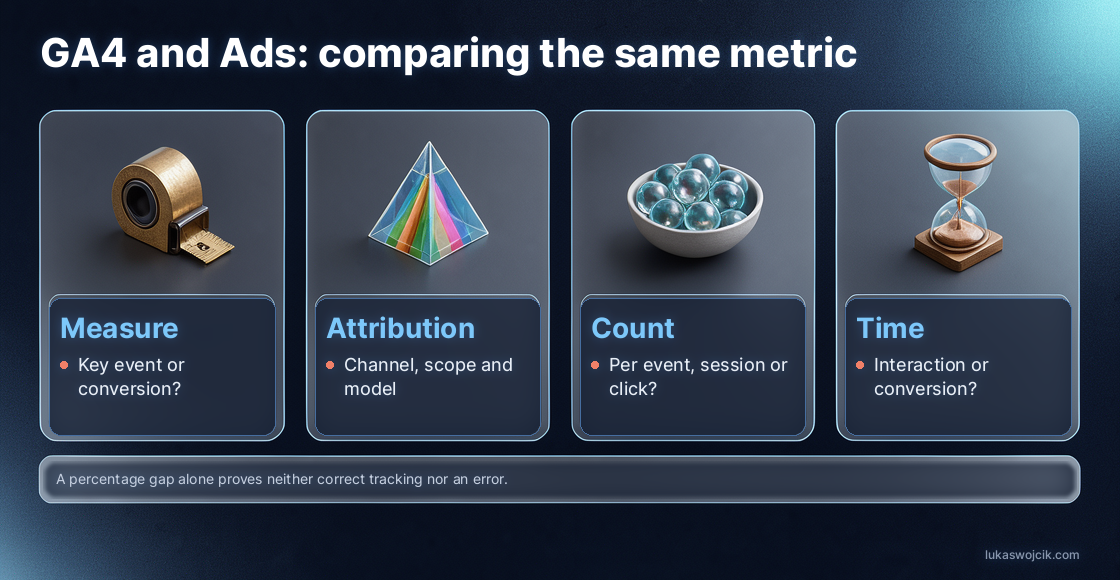
A key event is an Analytics event marked as important. A conversion based on that event is a separate measurement used for advertising. A native Ads conversion action, recorded with an Ads tag, is another collection route. Comparing a key-event report with an Ads column differs from comparing the same shared conversion across products or comparing two separately implemented actions.
The Analytics Advertising section contains conversion reporting; standard Reports and Explore primarily serve behavioral and key-event analysis. Current Google documentation separates key-event attribution settings under Admin from conversion management under Advertising. Some centralized conversion features are still being expanded to additional properties. The settings actually available in the account matter more than an assumed universal menu.
Attribution: which channel receives credit?
Data-driven attribution can divide credit among eligible interactions. An illustrative split of 40 percent paid search and 60 percent organic search is possible, but cannot be predicted from two visits alone. Direct visits generally receive no attribution credit unless the path consists entirely of direct visits.
Scope matters: event-scoped Source or Campaign can reflect the selected reporting attribution model. Session source and First user source answer different questions and are not changed by that model setting. A Traffic acquisition table is therefore not automatically a conversion-attribution report.
For shared web conversions, eligible channels can be Google paid channels or paid and organic channels. Google documents different default reporting perspectives: Google paid in Ads and paid plus organic in Analytics. App conversions use Google paid channels. The actual action and report settings must match before a numerical comparison; a native Ads action remains a separate measurement route.
One per session is not one per ad click
GA4 normally counts a key event once per event; once per session remains a legacy option, including the default for specified migrated Universal Analytics goals. Google Ads offers Every or One, with One counting at most one conversion per ad click for the action. These are different units.
For example, one ad click followed by two genuine lead submissions in two sessions can yield two GA4 key events even with once per session, while Ads One can yield one conversion, assuming both submissions are otherwise eligible for that click. Counting settings should represent the business question, not merely make totals converge. Changes to key-event counting apply to future events.
Date, time zone and column must agree
Key-event reporting generally uses the event date. Standard Ads conversion columns use the date of the attributed ad interaction; a purchase on Wednesday can therefore contribute to Monday’s campaign figures. Ads also provides conversion-time columns, including All conv. (by conv. time). The Analytics property and Ads account time zones must be checked separately.
All conversions includes additional actions and conversion types compared with Conversions. Filtering to the intended conversion action is essential; a total containing a secondary comparison action is not a count of unique orders. Conversion-time columns align the time basis, not every other reporting definition.
Google documents updates to channel-attributed Analytics data for up to twelve days during processing and modeling. This is neither a ban on earlier provisional comparisons nor a guarantee that every Ads figure becomes final after twelve days. Late conversions, long decision cycles and adjustments can continue to affect past interaction dates. A documented cutoff and a comparison period whose expected reporting delays have largely passed are more useful than a universal waiting rule.

Windows are not retention settings
The key-event lookback window determines which earlier interactions remain eligible. In GA4, first_open and first_visit default to 30 days with a 7-day option; other key events default to 90 days with 30- and 60-day options. This is distinct from data retention.
Ads conversion windows depend on the source and interaction type. Search and Display click windows can reach 90 days where supported, with 30 days as the documented default; video engagement and view-through windows are separate settings. Shared Analytics-based conversions have matching conversion windows and counting settings across products by default. That does not make the key-event settings identical to the conversion settings. A longer window allows more time between an earlier interaction and the resulting conversion; it does not guarantee credit or automatically assign an excluded purchase to organic traffic.
Two kinds of modeling
Behavioral modeling estimates user and session behavior when identifiers are unavailable. For GA4 eligibility, Google lists advanced Consent Mode across pages, at least 1,000 denied-storage events daily for seven days, and at least 1,000 daily users with granted storage on seven of the previous 28 days. Meeting these public thresholds does not guarantee a usable model. This describes a technical prerequisite, not an instruction to bypass a consent decision.
Conversion or key-event modeling addresses missing attribution information. Google states that Ads conversions created from Analytics key events include modeling; this does not mean that an identical behavioral-model subtotal is simply copied into every Ads report. Ads Consent Mode modeling has its own documented quality checks, including 700 daily ad clicks over seven days per country and domain grouping. Modeled conversions are integrated into conversion reporting.
Switching GA4 between Blended and Observed concerns behavioral reporting identity. The difference is not an isolated measurement of the modeled portion of an Ads conversion action. Neither a denied consent state nor installation of Consent Mode guarantees complete recovery of missing conversions.
A useful reconciliation
- First comes the action being counted: a completed purchase, a submitted form or another result. A form submission is not yet a sale.
- Both reports need the same action filters and time basis. The comparison also records which channels can receive credit, how repeat actions count and how long an earlier ad click remains eligible.
- Verification of triggers after confirmed success, missing requests, duplicate events, consent handling and preserved campaign identifiers.
- Comparison of a period whose expected reporting delays have largely passed with order or inquiry records from the application, allowing for cancellations and the different population each report measures.
- Documentation of explained differences and investigation of the remainder, without changing settings solely to match totals.
Questions and answers
Can two primary purchase actions double-count an order?
Yes, if both independently record the purchase and are included in the campaign’s goals. A primary action is used for bidding when its goal is used. A comparison action can generally remain secondary, but secondary actions inside a custom goal are still used for bidding. All conversions can include both actions. A transaction ID does not merge separate actions automatically.
What does a transaction ID deduplicate?
GA4 documents purchase deduplication for web streams, not app streams, using a stable transaction_id for the same transaction and user. Ads deduplicates repeated IDs within the same conversion action. Each real order needs a unique, nonempty ID without personal data; the same order retains that ID on reload. This is not a general deduplication contract for generate_lead.
Is a sessionStorage marker enough for leads?
A browser marker can suppress repeated local firing, but is not durable business-level deduplication across tabs, devices or cleared storage. A broad marker can also suppress a second genuine inquiry. Recording one event for a confirmed successful submission, with a clearly defined submission identity in the application, is the stronger starting point.
Must both totals eventually match?
No. Even a correct implementation can measure different groups of eligible actions, such as all measured purchases versus purchases attributed to ads. Conversely, a stable difference or matching totals does not prove that tracking is correct. The aim is an explained comparison with separately verified collection.
Sources
- Google Analytics: Conversions vs. key events
- Google Analytics: Select attribution settings
- Google Analytics: Get started with attribution
- Google Analytics: Change the counting method of key events
- Google Ads: About conversion counting options
- Google Ads: Understand conversion tracking data
- Google Ads: About conversion windows
- Google Analytics: Behavioral modeling for consent mode
- Google Analytics: About modeled key events
- Google Ads: About consent mode modeling
- Google Analytics: Minimize duplicate key events with transaction IDs
- Google Ads: Use a transaction ID to minimize duplicate conversions
- Google Ads: Bidding — primary, secondary and custom goals
Related articles