English
Certificate Chains: Why a Site Opens in the Browser and Fails in curl

Contents
A TLS handshake looks like a single yes or no. In fact it is a small proof: the server presents a certificate, and the client has to build a path from that certificate to a root it already trusts. The proof succeeds or it does not, and the answer depends on who is asking.
That is the part which surprises people. The same server, at the same second, can be trusted by Chrome and refused by curl.
What travels in a handshake
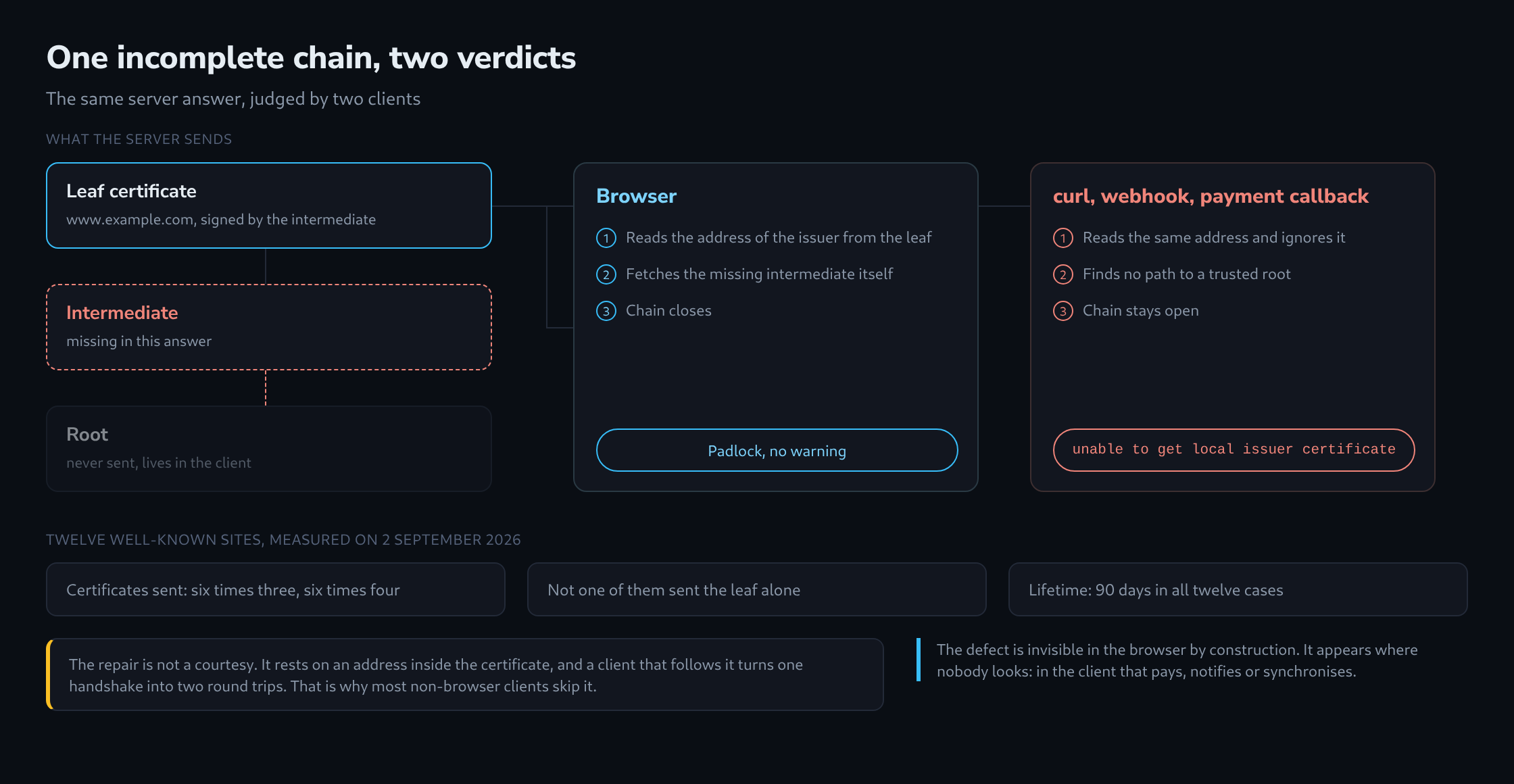
The server sends its own certificate, called the leaf, and normally one or two more above it. The leaf carries the host names it is valid for, a public key and a signature. The signature was not made by the root; it was made by an intermediate certificate, which in turn was signed by the root.
The root itself is never sent. It sits in the trust store of the operating system or the browser, a few hundred of them, and it is the only part the client already has.
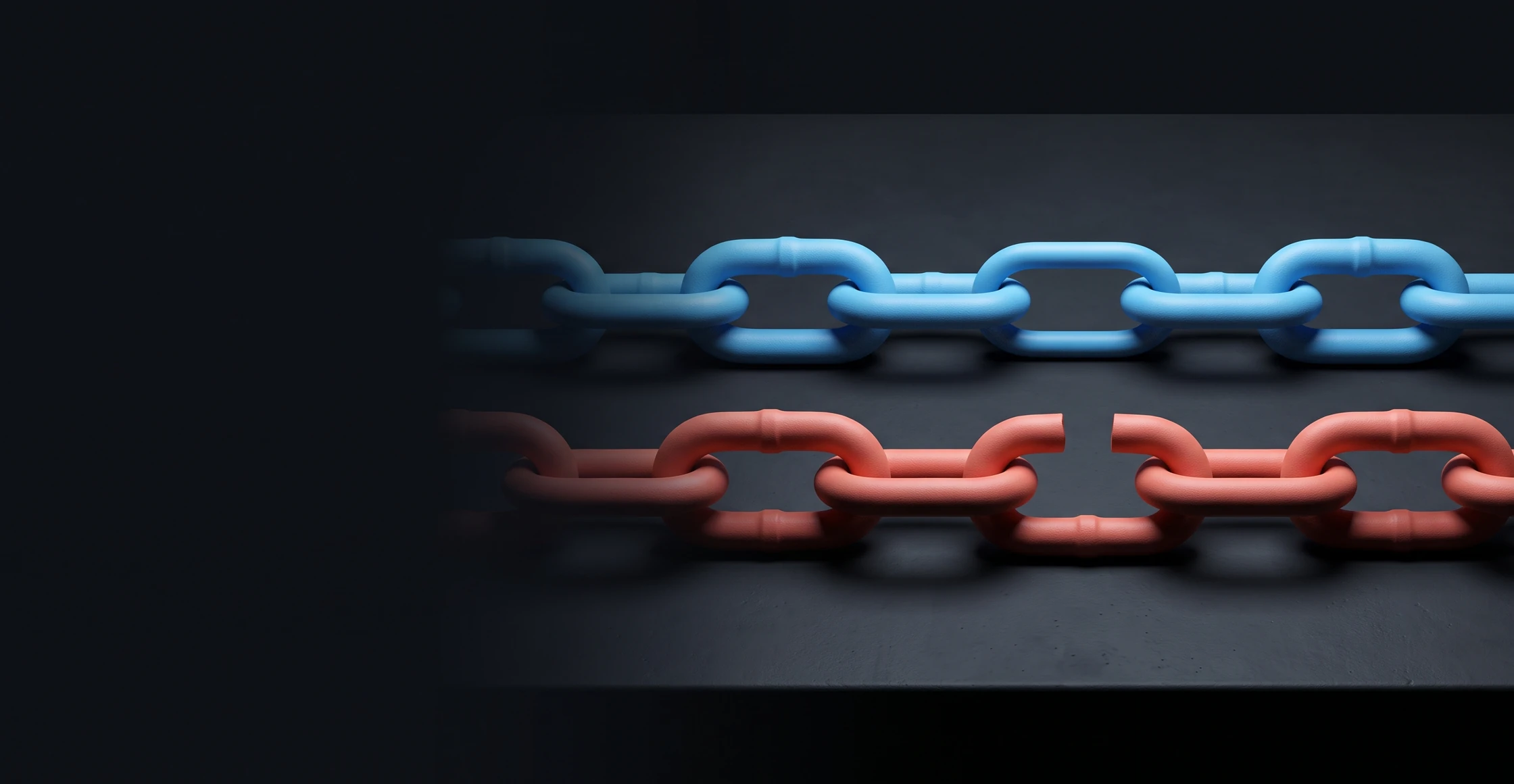
So the client needs everything between the leaf and that root. If the server does not send the intermediate, there is a gap, and a gap means no proof.
The link that goes missing
Nearly every certificate authority ships two files: the certificate itself, and a bundle that contains the certificate plus the intermediate. With Let’s Encrypt these are cert.pem and fullchain.pem. The names are not decorative.
Configuring cert.pem where fullchain.pem belongs is the single most common TLS misconfiguration, and it is easy to see why: the site opens perfectly afterwards. Nothing warns, nothing logs, and the certificate is genuinely valid.
The gap only exists for clients that refuse to close it themselves.
Why the browser forgives
A certificate contains a field called Authority Information Access. Among other things it holds a URL: the place where the issuing intermediate can be downloaded. Browsers use it. When the chain is short by one link, they fetch the missing certificate from that address, complete the path and show the padlock.
Some browsers also cache intermediate certificates seen on other sites. This makes the problem harder to reproduce: a server with an incomplete chain can appear to work correctly on two machines, but for a different reason on each.
curl, OpenSSL, most HTTP libraries in Python, PHP, Go and Java do not do this. They read the same field and ignore it, because following it turns one handshake into two network round trips and adds a dependency on a third-party host in the middle of a connection that is supposed to be direct. The refusal is deliberate.
The result is a failure mode with a very specific shape: the website works, and the machine-to-machine traffic does not. Payment providers calling a webhook, a monitoring probe, a mobile app, a partner pulling an API – all of them report unable to get local issuer certificate, while the browser shows nothing at all.
What twelve sites actually send
Twelve well-known addresses were measured on 2 September 2026, reading only what the server offered during the handshake.
Six sent three certificates, six sent four. Not one sent the leaf alone. The lifetime was identical across all twelve: 90 days, which is what the automated issuers hand out and what the industry has converged on. The remaining validity ranged from 31 to 88 days, with a median of 70 – the spread that automatic renewal at the two-thirds mark produces.
Eleven of the twelve negotiated TLS 1.3, one settled on 1.2. None accepted TLS 1.0. Nine used an ECDSA key rather than RSA. Eight certificates came from Let’s Encrypt, three from Google Trust Services, one from Sectigo.
The number of names in a certificate varied far more than anything else: one name at the low end, 41 at wikipedia.org. That number is not a quality signal, only a hint at how the estate is organised.
Names, not the common name
A second failure looks similar from the outside. The certificate is complete and valid, but the host is not listed in it.
Current browsers ignore the common name entirely and match only against the subject alternative names. A certificate for example.com that omits www.example.com covers exactly one of the two, and the redirect between them fails before it can start.
Wildcards cover one label and no more. *.example.com matches www.example.com, but neither example.com itself nor a.b.example.com. Both halves of that sentence cost somebody an outage regularly.
Reading it without a browser
The distinction that matters cannot be seen in a browser, precisely because the browser repairs it. It needs a client that does not.
openssl s_client -connect example.com:443 -servername example.com < /dev/null
curl -vI https://example.com/
In the OpenSSL output, the certificate chain block lists what the server sent. One entry means the intermediate is missing, regardless of whether the verification line below it says ok – a locally cached intermediate can make even that misleading. Counting what arrived is the reliable measure.
The same reading, without a shell, is what the TLS Certificate and Handshake Inspector in the toolbox produces: it opens the handshake, verifies once with the trust store and once without, lists the chain exactly as the server sent it, and then tries each TLS version separately. The gap shows up as a chain of one, next to a verification that failed for a reason worth reading.
Questions and answers
Does the root certificate belong in the chain the server sends?
No. The client has to trust the root already, so a root sent along proves nothing and only adds bytes to every handshake; RFC 8446 explicitly allows it to be omitted. What matters is that every intermediate between the leaf and the root is included, and that is exactly what fullchain.pem contains.
The chain worked for months, and now a webhook sender suddenly reports unable to get local issuer certificate. What could be behind it?
If nothing on the server was changed, two causes are the most likely, one on each side of the connection:
- The intermediate has changed. Certificate authorities move to new intermediates from time to time. A configuration that combines cert.pem with an intermediate file placed by hand at some point sends, after the next renewal, a link that no longer matches the leaf, and the path then has the same gap as with no intermediate at all. fullchain.pem is rewritten with the matching intermediate at every renewal and does not have this problem.
- The client’s trust store is out of date. If the chain ends at a different root after a renewal, that root may be missing from old operating systems or from container images that have not been rebuilt for a long time. The message is the same, although the server sends everything correctly.
Counting again settles which of the two applies: if openssl s_client shows the leaf and the intermediate arriving and a current system verifies the chain, the problem lies in the sender’s trust store, and only an update of its CA list helps.
Sources
Related articles