English
Mac Studio M5 as a Local AI Workstation: M5 Max, M5 Ultra and Mac mini M6 Compared

Contents
Mac Studio can serve as a local AI workstation when large models, a compact desk setup and a suitable Apple backend matter more than replaceable graphics cards. The decision starts with memory requirements rather than the newest chip name.
Apple’s current product assignment is explicit: Mac Studio uses M5 Max or M5 Ultra, while Mac mini offers M6 or M5 Pro. Mac Studio M6 is therefore not a documented comparison device. The following figures are specifications, not original inference benchmarks.
Three Apple profiles
| Device | Unified memory | Documented bandwidth |
|---|---|---|
| Mac mini M6 | 16–32 GB | 153 or 170 GB/s |
| Mac Studio M5 Max | 36–128 GB | 460 or 614 GB/s |
| Mac Studio M5 Ultra | 96–512 GB | 1.2 TB/s |
These values belong to different configurations; maximum specifications are not present in every base model. The newer M6 name does not make the small mini a larger model platform. Actual ordered capacity determines the initial weight budget.
Unified memory is a shared budget
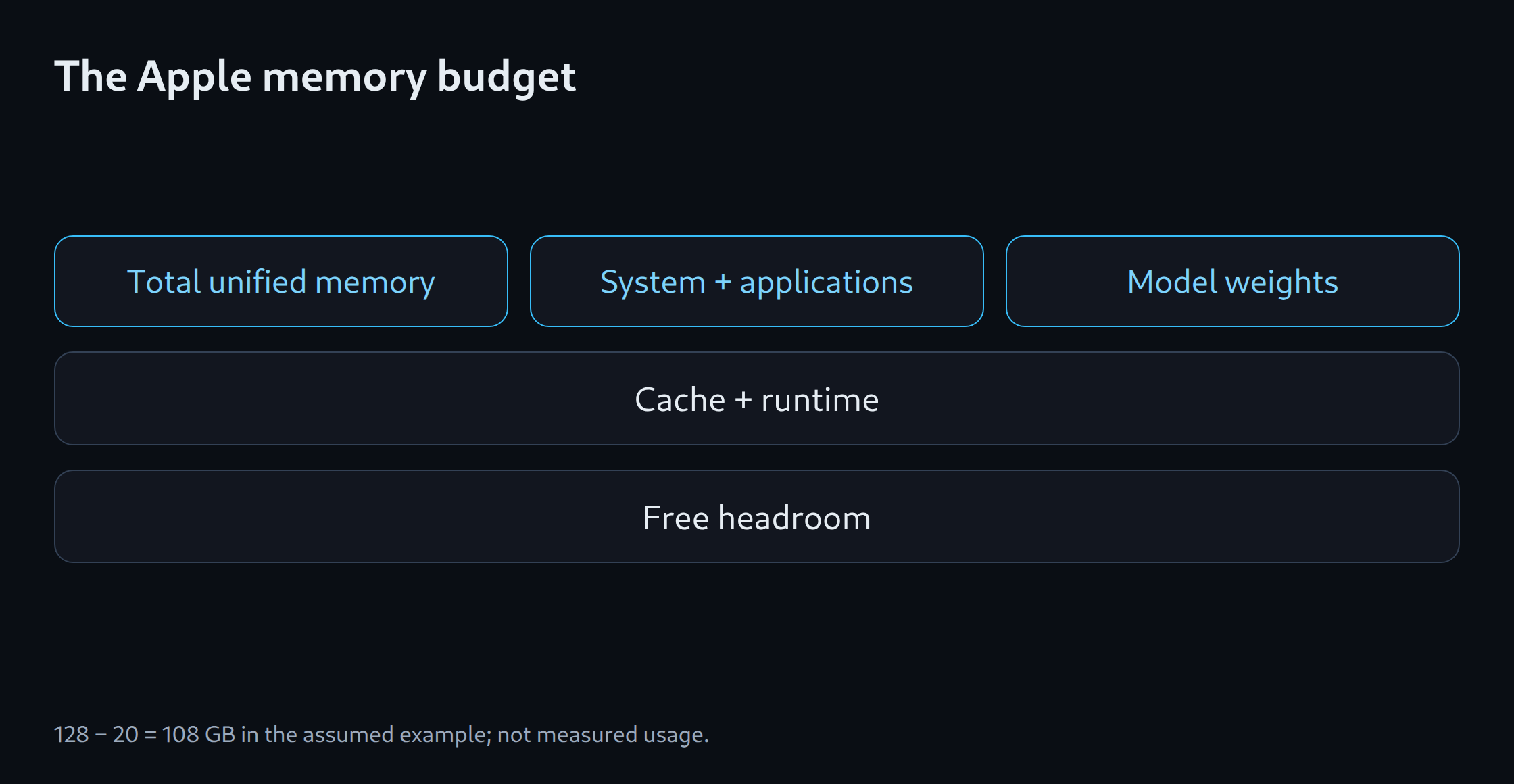
CPU, GPU, operating system and applications share memory. A total of 512 GB does not mean 512 GB freely reservable for model weights. Model state, cache and temporary buffers add to those weights. Other applications also change headroom.
An assumed 128 GB budget with 20 GB reserved for the system leaves 108 GB for model and runtime. The 20 GB is a planning assumption rather than a measured or required Apple figure. A continuous service needs real allocation measurements under typical load.
MLX, llama.cpp and Ollama
MLX LM provides an Apple Silicon path. llama.cpp supports Apple Silicon through Metal and CPU optimisations. Ollama also documents Apple support and continues developing its backends. The runtime version determines actual format support and acceleration.
An MLX quantisation and a GGUF artifact remain different files. A comparison needs the same originating revision, matching chat templates and documented precision. Without these details, changed answers cannot reliably be attributed to a backend change.
Distinguish Neural Engine from GPU acceleration
Apple describes Neural Accelerators within its GPU as well as a Neural Engine. These terms are not interchangeable. An LLM application uses a hardware feature only through an appropriate software path. Neural Engine core count alone does not establish higher generation speed.
Short chats prioritise first-response latency. Long prompts also need input-processing assessment. Concurrent requests require a serving profile. A large model that barely fits in memory can still be too slow for interactive use.
Choose against a tower or DGX Spark
A GPU tower offers more replaceable components and can provide a direct CUDA path with suitable NVIDIA hardware. DGX Spark is a compact CUDA alternative on its own ARM platform. Mac offers an integrated desktop environment but requires compatible Apple model artifacts and runtimes.
The purchase follows the workload: small local assistance on mini, more memory and bandwidth on Studio, and high capacity on an appropriately configured Ultra. Noise, wall power and latency require actual measurements. The memory estimator supports initial selection; representative tasks determine the final choice.
Memory planning for model selection: LLM VRAM estimator.
Related tools
Questions and answers
Does the current comparison include a Mac Studio M6?
Apple currently documents Mac Studio with M5 Max or M5 Ultra and Mac mini with M6. This plan follows those product assignments. Any later Studio model requires its own confirmed specifications.
Are all 512 GB of unified memory available to the LLM?
The operating system, applications and runtime share memory. Cache or model state and temporary buffers add to the weights. Available capacity depends on configuration, backend and running processes.
Sources
- Apple: Mac Studio M5 Max / M5 Ultra – technische Daten
- Apple: Mac mini M6 und Mac Studio M5 verfügbar
- MLX LM: Projekt
- llama.cpp: Projekt und Backends
- Ollama: Hardware support
- NVIDIA: DGX Spark Hardware Overview
- Apple: Mac mini – technische Daten
- Ollama: MLX on Apple Silicon
Sources checked: 5 October 2026.
Related articles