English
 Deutsch
 Polski
Top 3 best WordPress Gallery Plugins: A Comparison and Review

Visual content is a foundational element of modern web design. A high-quality gallery plugin ensures that images are displayed beautifully without compromising website loading speed or user experience. Based on community feedback and aggregate user reviews, the following comparison highlights the top WordPress gallery plugins currently available.
1. Envira Gallery
Envira Gallery is highly regarded for its performance and ease of use. It utilizes a drag-and-drop builder, making the creation of responsive image and video galleries incredibly straightforward. The underlying code is highly optimized, ensuring that the server resources are not heavily taxed.
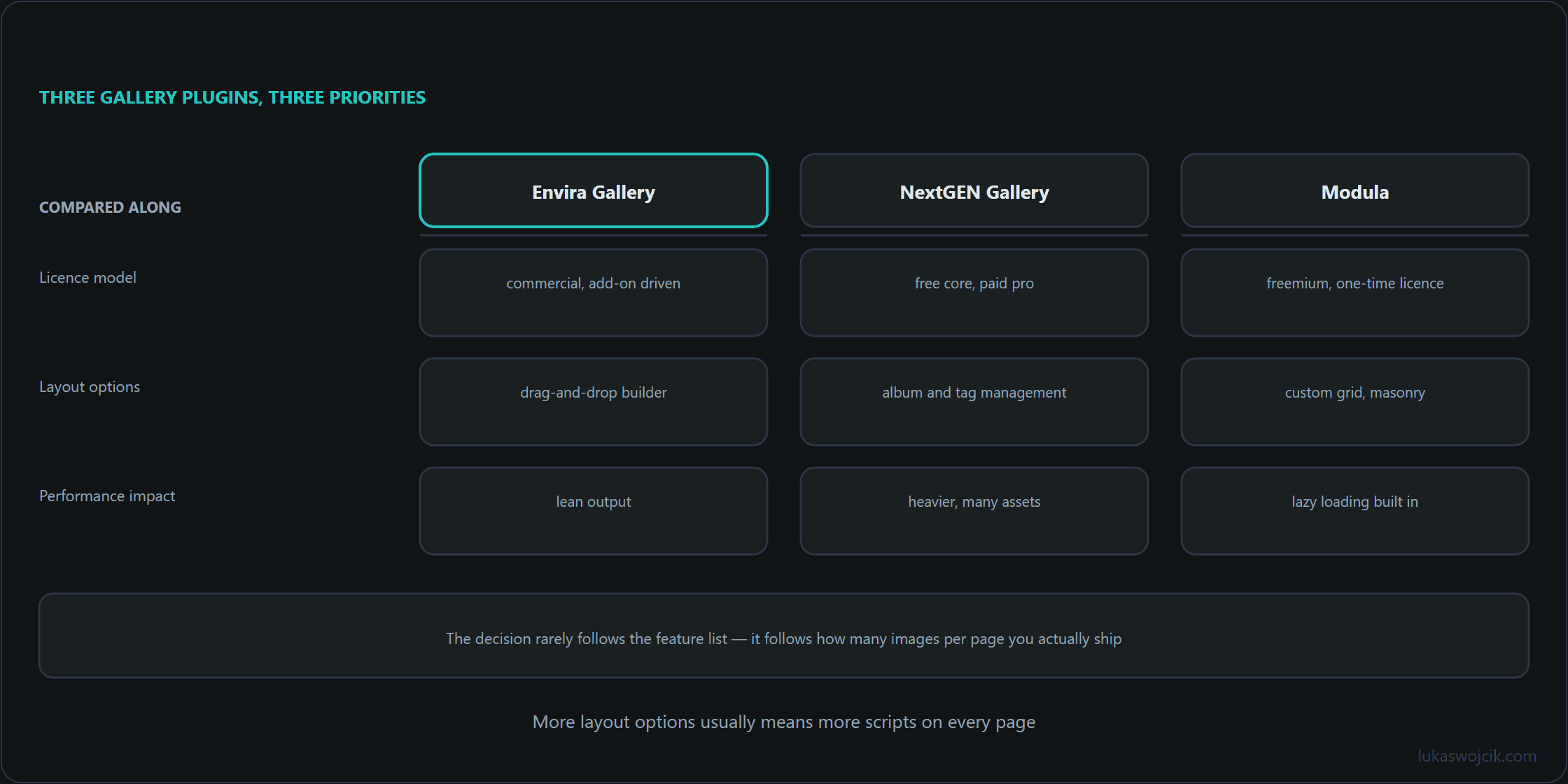
- Key Features: Drag-and-drop builder, standalone gallery templates, WooCommerce integration, and deep pagination capabilities.
- User Feedback: Reviews consistently highlight its blazing fast loading times and lightweight nature. The primary criticism often mentioned in community forums is that many of the most desirable features—such as pagination and video support—are locked behind the premium tiers.
2. NextGEN Gallery
NextGEN Gallery has been the industry standard for professional photographers for years. It functions almost like a separate media manager within the WordPress dashboard, designed to handle thousands of high-resolution images.
- Key Features: Image proofing, automated watermarks, digital downloads, and built-in print fulfillment options.
- User Feedback: Power users praise NextGEN for its robust, enterprise-level feature set, noting that it handles massive portfolios effortlessly. However, reviews frequently point out a steep learning curve. The interface is often described as slightly dated and overwhelming for simple, everyday gallery needs.
3. Modula
Modula focuses on aesthetics, particularly dynamic grid and masonry layouts. Its algorithms calculate image dimensions automatically to create aligned, magazine-style mosaics without manual adjustments.
- Key Features: Custom grid builder, hover effects, image loading animations, and a speed optimization extension.
- User Feedback: Users express high satisfaction with the modern, sleek look the plugin generates out of the box. The ability to resize individual images within a grid by simply dragging the corners is a heavily praised feature. On the downside, some reviewers note that the configuration menu can feel cluttered, and it might be considered overkill for minimal, basic blog setups.
Conclusion: The optimal choice depends entirely on the project scope. Envira is the top recommendation for speed and simplicity, NextGEN remains the undisputed champion for professional photography commerce, and Modula is the best fit for creative portfolios requiring dynamic, modern layouts.
Questions and answers
Do Envira, NextGEN and Modula differ in layout stability, given that masonry grids position images in JavaScript?
The deciding detail is smaller than the plugin choice: whether the markup carries width and height on every image before the script runs.
With dimensions present, the browser reserves the space for each image and the script can place it before the file arrives. Without them, every image that loads pushes the ones below it, and a masonry layout does that repeatedly as it settles. That is why the same plugin can score well on one theme and badly on another: a theme that filters image markup can strip exactly those attributes.
Measure layout shift on a real gallery page, using a tool with field data or a throttled run in the browser’s own audit. A feature list cannot show how the page behaves.
Two further habits help regardless of plugin: reserve the container’s aspect ratio in CSS, and load the first row eagerly rather than lazily. Lazy loading above the fold delays the images visitors see first. Without dimensions, that delay becomes a visible jump.
Sources
Related articles