English
 Deutsch
 Polski
Tutorial: Exporting GA4 Data to BigQuery and Writing the First SQL Query

Contents
The GA4 interface answers questions it was designed to answer. Anything outside that shape — a page sequence per session, a cohort defined by two conditions in a specific order, a metric the interface does not offer — runs into the limits of a reporting UI built on pre-aggregated data. The BigQuery export removes that ceiling by handing over the raw event stream, one row per event, queryable in SQL.
The following walkthrough covers the three things needed to start: switching the export on, understanding what the raw data does and does not contain compared to the interface, and writing a first query that reconstructs user paths from the nested event schema.
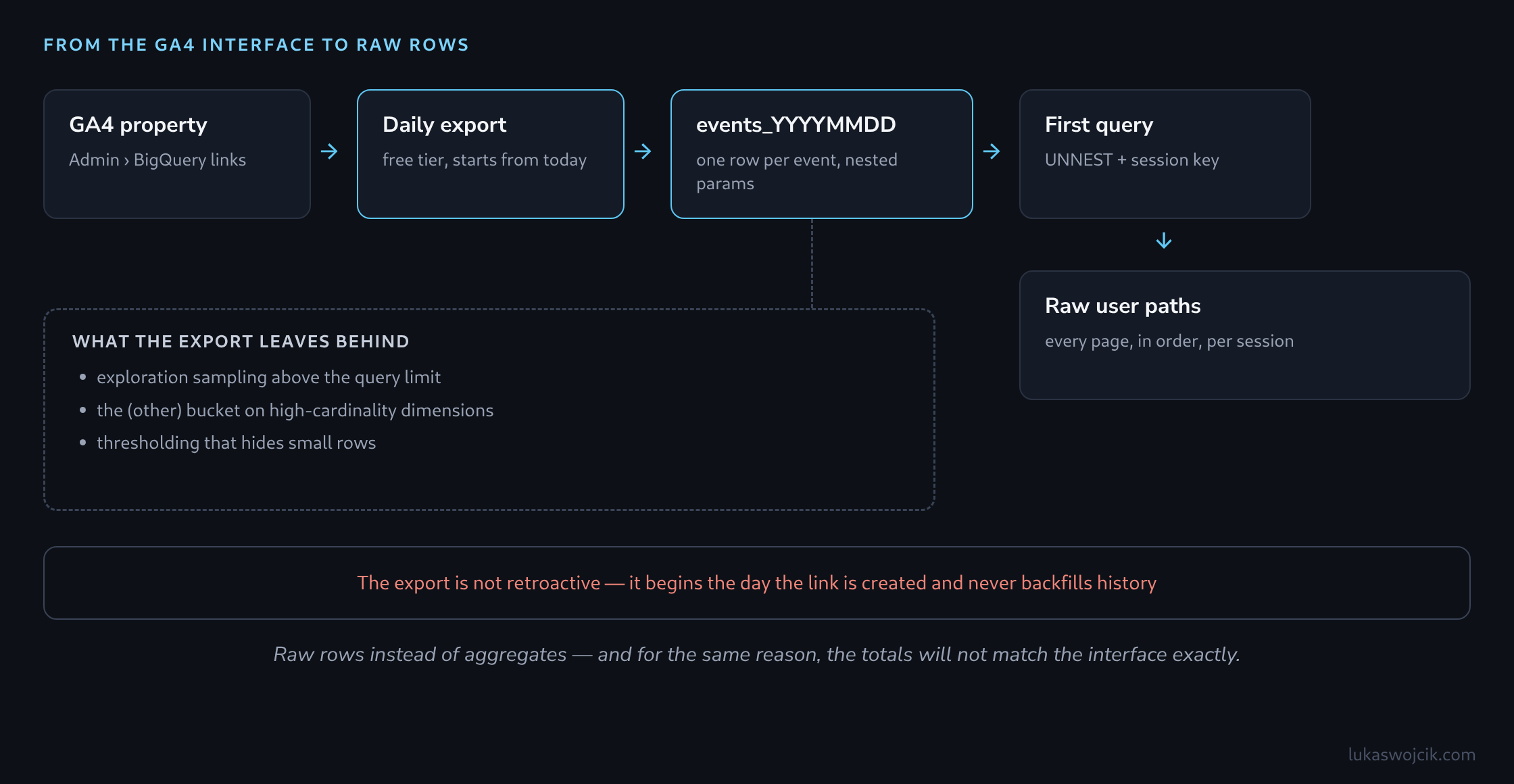
Step 1: Switching the Export On
The link is created in GA4 under Admin, in the Product links section, via BigQuery links. Creating it requires edit rights on the GA4 property and owner rights on the destination Google Cloud project, with the BigQuery API enabled. The configuration asks for the Cloud project, a data location, which data streams to include, and an export frequency.
Two frequencies are offered, and they behave differently. Daily writes one table per day, events_YYYYMMDD, usually available the following day; it is included at no cost for standard properties. Streaming writes to events_intraday_YYYYMMDD continuously and is billed at BigQuery’s streaming insert rates. For learning the data and for most analysis, daily alone is enough.
Two constraints matter before relying on any of this. The export is not retroactive — it begins on the day the link is created, and no history is backfilled, which makes switching it on early worthwhile even without an immediate use for the data. And standard properties carry a documented daily export limit of one million events per day; a property exceeding it can have the export suspended, so the current volume is worth checking against the limit in Google’s documentation before the export becomes load-bearing.
On the BigQuery side, the free tier covers 10 GiB of storage and 1 TiB of query processing per month, which is generous for a single property being explored by hand.
Step 2: What “Unsampled” Actually Means
Avoiding sampling in the export is not a technique — it follows from the export being the unaggregated event stream rather than a report. Three separate reductions the interface applies are simply absent:
- Sampling in explorations. Standard GA4 reports are not sampled, but explorations apply sampling once a query exceeds the event limit for the property tier, and the result carries a notice saying so.
- The
(other)row. When a dimension produces more distinct values than a report can hold, the remainder is collapsed into a single(other)bucket — a real problem for page paths, product IDs, or search terms. - Thresholding. With Google signals active, rows representing very few users are withheld entirely so individuals cannot be identified, and the report shows a thresholding notice instead of the data.
None of the three applies to the exported tables. The trade is that everything the interface computes on top of the raw data — modelled conversions, data-driven attribution, its own session definitions — is also absent, which is why totals from BigQuery and totals from the interface will not match exactly.
Step 3: The Shape of the Data
Each row is one event. What surprises anyone arriving from a conventional SQL background is that the interesting values are not columns: they sit inside event_params, a repeated record of key/value pairs, where the value itself is a struct with a separate field per type.
| Field | Type | What it holds |
|---|---|---|
event_date |
STRING | The day as YYYYMMDD, matching the table suffix. |
event_timestamp |
INT64 | Microseconds since epoch — the ordering key within a session. |
event_name |
STRING | page_view, session_start, purchase, and custom events. |
user_pseudo_id |
STRING | The client identifier — a device or browser, not a person. |
event_params |
REPEATED RECORD | Key/value pairs: ga_session_id, page_location, page_title and the rest. |
items |
REPEATED RECORD | E-commerce products attached to the event. |
A session has no column of its own. It is reconstructed by pairing user_pseudo_id with the ga_session_id parameter, since session ids are only unique within a single client.
Step 4: A First Query to Confirm the Export Works
Before anything analytical, one query establishes that data is arriving and that the table reference is correct:
SELECT
  event_date,
  COUNT(*) AS events,
  COUNT(DISTINCT user_pseudo_id) AS users
FROM `project.analytics_XXXXXXXXX.events_*`
WHERE _TABLE_SUFFIX BETWEEN '20260920' AND '20260926'
GROUP BY event_date
ORDER BY event_date;
The _TABLE_SUFFIX filter is not optional housekeeping. The wildcard events_* addresses every daily table in the dataset at once, and without a suffix filter the query scans the entire export history — which is billed by bytes read.
Step 5: Extracting Raw User Paths
The query the interface cannot produce is a full page sequence per session. Reading a value out of event_params is done with a scalar subquery over UNNEST, which is the idiom worth memorising — it recurs in every GA4 query:
WITH page_views AS (
  SELECT
    user_pseudo_id,
    (SELECT value.int_value FROM UNNEST(event_params)
      WHERE key = 'ga_session_id') AS session_id,
    event_timestamp,
    (SELECT value.string_value FROM UNNEST(event_params)
      WHERE key = 'page_location') AS page_location
  FROM `project.analytics_XXXXXXXXX.events_*`
  WHERE _TABLE_SUFFIX BETWEEN '20260920' AND '20260926'
    AND event_name = 'page_view'
)
SELECT
  CONCAT(user_pseudo_id, '-', CAST(session_id AS STRING)) AS session_key,
  COUNT(*) AS page_views,
  STRING_AGG(
    REGEXP_EXTRACT(page_location, r'^https?://[^/]+([^?#]*)'),
    ' > ' ORDER BY event_timestamp
  ) AS path
FROM page_views
WHERE session_id IS NOT NULL
GROUP BY session_key
HAVING page_views > 1
ORDER BY page_views DESC
LIMIT 100;
Each row is one session’s journey in order, with the domain and query string stripped so that identical pages group together. From here the same structure answers more specific questions: filtering to sessions that contain a particular event, counting how often one page precedes another, or measuring how many steps precede a purchase.
Staying Inside the Guardrails
Two expectations are worth setting before this data reaches a report. Numbers from the export will not reconcile exactly with the GA4 interface, and that is by design rather than a fault to be chased: the interface adds modelling and its own session logic that the raw rows do not contain. And the export carries event-level data covering identifiable devices, so the same consent basis and retention discipline that applies to analytics data applies to the dataset in Cloud — including who is granted access to the project.
Questions and answers
Does events_* count events twice when the streaming export is switched on?
With the suffix filter from step 4, no; without it, possibly. The wildcard events_* also matches the events_intraday_YYYYMMDD tables, because their names start with events_ as well. For them, _TABLE_SUFFIX is then not 20260926 but intraday_20260926.
The condition _TABLE_SUFFIX BETWEEN '20260920' AND '20260926' excludes those tables, because the comparison is made character by character and the letter i sorts after every digit. Anyone who needs the current day’s data from the intraday table therefore has to include it explicitly, for example with an additional condition _TABLE_SUFFIX = 'intraday_20260927'.
A query can only count twice if, without a suffix filter or with a pattern that is too broad, it picks up both kinds of table and both exist for the same day. A query that mixes the two sources should therefore count only one of them per day.
Does LIMIT 100 reduce the cost of a query?
No. BigQuery bills by the bytes a query has to read, and LIMIT only caps the output after the data has been read. Because BigQuery stores data by column, two other measures do cut costs: selecting only the columns that are needed instead of SELECT *, and the filter on _TABLE_SUFFIX, which takes whole daily tables out of the bill.
Does the retention period set in GA4 also apply to the tables in BigQuery?
No. The retention setting in GA4 covers the data in GA4 itself. Whatever has been exported to BigQuery sits there as a separate copy in the Cloud project and stays until it is deleted there. Left alone, the dataset therefore grows day by day, and with it the storage, which can eventually exceed the free 10 GiB.
The retention discipline the article also calls for on the dataset therefore has to be set up in BigQuery. A default expiration for tables can be set on the dataset for this (in the API, the field defaultTableExpirationMs); new daily tables are then deleted automatically once that period has passed. It only applies to tables created after the change; older tables need an expiration of their own or have to be removed by hand.
Does the export also work without a billing account in Google Cloud?
Yes; BigQuery then runs as a sandbox, but with two restrictions that matter for GA4. Tables in the sandbox expire after 60 days, so the daily export never holds more than about two months. And the streaming export is not available there. That is enough for getting to know the data; building a long time series needs a billing account, even if usage stays within the free tier.
Related articles