English
 Deutsch
 Polski
Tutorial: Exporting GA4 Data to BigQuery and Writing the First SQL Query

Management Summary
Exporting GA4 activity to BigQuery puts website records into a data-analysis service where custom questions can be answered. This allows calculations beyond standard reports and links with business information, such as examining recorded sequences of visited pages. The export is useful when the built-in view is not enough. It starts without earlier history and may differ from GA4 reports because available data and calculations differ. A reconstructed path shows recorded activity, not necessarily the complete customer journey.
Contents
BigQuery makes exported GA4 events available for custom SQL analysis: joins with business data, explicit metric definitions and observed page sequences. GA4 also offers path and funnel explorations; SQL adds control over the calculation and output rather than making all interface analysis obsolete.
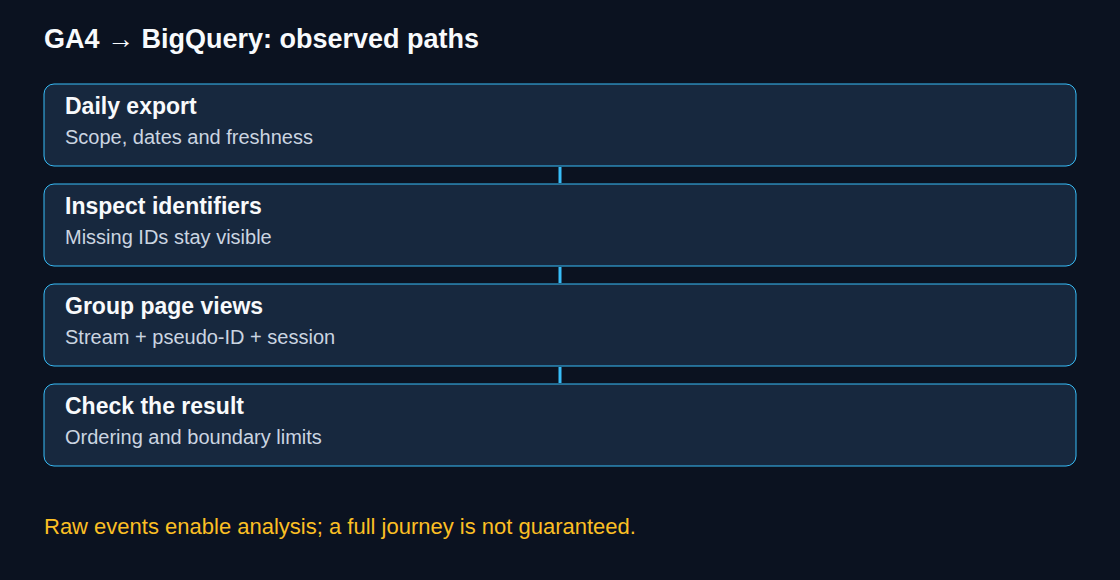
This tutorial starts with daily export, checks whether events arrive and then groups observed web page views by session identifiers. The examples describe the selected export, not every real visit or a guaranteed complete journey.
1. Daily export setup
In GA4, the link is created under Admin → Product links → BigQuery links. The GA4 account needs Editor or higher access at property level. The Cloud project needs the documented IAM and service permissions; Owner includes those permissions, but a suitable narrower role combination can also provide the required access. The BigQuery API must be enabled.
The setup selects the Cloud project, data location, streams and any excluded events. For standard properties, Daily and Streaming are available independently. Eligible Analytics 360 properties also offer Fresh Daily. Daily produces events_YYYYMMDD; Streaming produces provisional events_intraday_YYYYMMDD tables and can have gaps. The daily table is preferable for completed-day analysis, although late events can update recent daily tables.
The link does not backfill the property’s previous history. Initial data normally starts arriving within 24 hours; a particular daily delivery time is not guaranteed. Standard properties have a daily limit of one million exported events. Exceeding the limit can suspend daily export; stream and event exclusions can reduce volume but also change the scope of subsequent analysis.
Daily export does not make Cloud usage free: storage and query processing can incur charges. Streaming adds ingestion costs. Before the first query, the editor’s estimate or a dry run, which checks the query without running it, shows expected processing; maximum bytes billed provides a per-query limit under on-demand pricing. The examples below use a deliberately bounded date range.
2. Differences from GA4 reports
The event export is unsampled and does not collapse high-cardinality values into an (other) row. GA4 reports and explorations can use different source tables and may involve sampling, aggregation limits or privacy thresholds. Thresholds are relevant, for example, to demographic and search-query information; enabling Google signals is not a universal explanation for every missing row.
BigQuery does not reproduce GA4’s behavioral or key-event modeling or data-driven attribution. This does not mean that all attribution fields are absent: the current schema includes observed last-click session traffic-source fields where available. Differences should be investigated by matching the metric, date range, property timezone, identity method, export filters and data freshness. A discrepancy is not automatically a fault, but also not automatically harmless.
3. The nested schema
Each exported row represents an event. Top-level fields include event_name, event_date, event_timestamp and user_pseudo_id. Additional values such as ga_session_id and page_location sit in event_params, a list of name/value pairs within the event row. UNNEST exposes those records; a scalar subquery, which returns a single value, retrieves the value for one key.
event_date follows the configured reporting timezone. event_timestamp is measured in microseconds UTC, but several batched events can share a timestamp. Batch fields add ordering information. A pseudo-ID identifies an app instance or browser context, not a verified person; missing or changing identifiers limit reconstruction. The query keeps stream_id, pseudo-ID and session ID as separate grouping fields.
4. Exported event availability
The project ID, property dataset and dates below are placeholders to replace with existing daily tables. GoogleSQL is required.
SELECT
  event_date,
  COUNT(*) AS events,
  COUNT(DISTINCT user_pseudo_id) AS distinct_pseudo_ids,
  COUNTIF(user_pseudo_id IS NULL) AS events_without_pseudo_id
FROM `project.analytics_XXXXXXXXX.events_*`
WHERE _TABLE_SUFFIX BETWEEN '20260920' AND '20260926'
GROUP BY event_date
ORDER BY event_date;
distinct_pseudo_ids counts distinct non-null identifiers, not GA4 Active users or unique people. The extra null count makes missing identifiers visible. A day without a table or without events produces no result row; a continuous calendar would need a separate date table.
5. An observed page sequence
This web example uses page_view; app screen analysis needs a different event and location field. The selected tables must contain the batch fields shown in the current schema.
WITH page_views AS (
  SELECT
    stream_id,
    user_pseudo_id,
    (SELECT value.int_value FROM UNNEST(event_params)
      WHERE key = 'ga_session_id') AS session_id,
    event_timestamp,
    batch_page_id,
    batch_ordering_id,
    batch_event_index,
    (SELECT value.string_value FROM UNNEST(event_params)
      WHERE key = 'page_location') AS page_location
  FROM `project.analytics_XXXXXXXXX.events_*`
  WHERE _TABLE_SUFFIX BETWEEN '20260920' AND '20260926'
    AND event_name = 'page_view'
)
SELECT
  stream_id,
  user_pseudo_id,
  session_id,
  COUNT(*) AS page_views,
  COUNTIF(page_location IS NULL) AS missing_locations,
  STRING_AGG(
    COALESCE(REGEXP_REPLACE(page_location, r'[?#].*$', ''),
             '[missing URL]'),
    ' > ' ORDER BY event_timestamp, batch_page_id,
      batch_ordering_id, batch_event_index, page_location
  ) AS observed_path
FROM page_views
WHERE user_pseudo_id IS NOT NULL
  AND session_id IS NOT NULL
GROUP BY stream_id, user_pseudo_id, session_id
HAVING COUNT(*) > 1
ORDER BY page_views DESC, stream_id, user_pseudo_id, session_id
LIMIT 100;
Missing pseudo-IDs and session IDs are excluded instead of merging unrelated events into a shared null group. Missing locations remain visible in both the count and the path. The example removes query strings and fragments while preserving the hostname, so pages on different hosts do not silently collapse into one label. Query-based routing needs a different normalization rule.
The ordering uses timestamps and available batch fields; the final URL field provides a display tie-breaker, not evidence of chronological order. Equal or incomplete ordering values, parallel tabs and delayed delivery can leave the real sequence ambiguous. The path contains only observed page views inside the selected dates. Sessions crossing the range boundary can be truncated, and single-page sessions are deliberately omitted by HAVING.
The scalar subqueries expect at most one value for each requested parameter key in an event. Duplicate keys should be investigated if the query fails; choosing an arbitrary first value would hide the data problem. Purchase-step analysis additionally needs purchase events: the current filter retains only page views.
6. Result checks before dashboard use
- Checks cover daily event counts, excluded streams/events and the proportion of missing identifiers.
- Several reconstructed sessions are compared with the underlying rows, including equal timestamps and sessions crossing midnight.
- An explicitly defined metric is compared with GA4 under the same date and identity assumptions. Expected modeling differences are distinguished from export gaps.
- Dataset access and table expiration require deliberate configuration. Exported data has a separate lifecycle from GA4.
Questions and answers
Does events_* include streaming tables?
Yes. The numeric suffix range in both examples excludes intraday_YYYYMMDD. A query including recent streaming data should select only one table source per date; overlapping daily and intraday rows must not be added together. Streaming is provisional and is not a completeness guarantee.
Does LIMIT 100 control query cost?
Not for these aggregate queries over ordinary unclustered export tables. The limit restricts the returned sessions after aggregation. Selected columns, bounded table suffixes, a dry run and maximum bytes billed are the relevant controls. BigQuery also supports capacity pricing, so not every deployment is billed directly per scanned byte.
Does GA4 retention delete BigQuery tables?
No. BigQuery needs its own expiration and deletion policy. Changing the dataset’s default table expiration affects newly created tables; existing tables need their own expiration settings. An expiration deadline is based on table creation, not the individual event’s occurrence time.
Can export run without a billing account?
Daily export can use the BigQuery sandbox. Current sandbox documentation specifies a lifetime 10 GiB storage quota that deletion does not restore, 1 TiB of query processing per month and automatic expiration after 60 days. Streaming is unavailable. Upgrading removes sandbox restrictions but requires a separate cost and retention plan.
Sources
- Google Analytics: Set up BigQuery Export
- Google Analytics: BigQuery Export
- Google Analytics: BigQuery Export schema
- Google Analytics: Reporting surfaces comparison
- Google Analytics: About data thresholds
- Google Cloud: Try BigQuery using the sandbox
- Google Cloud: Estimate and control costs
- Google Cloud: Update dataset properties
- Google Analytics 4 developer guide
Related articles