GA4 Task Assistant: The Six Categories and the Roles the Help Page Names for Access

Contents
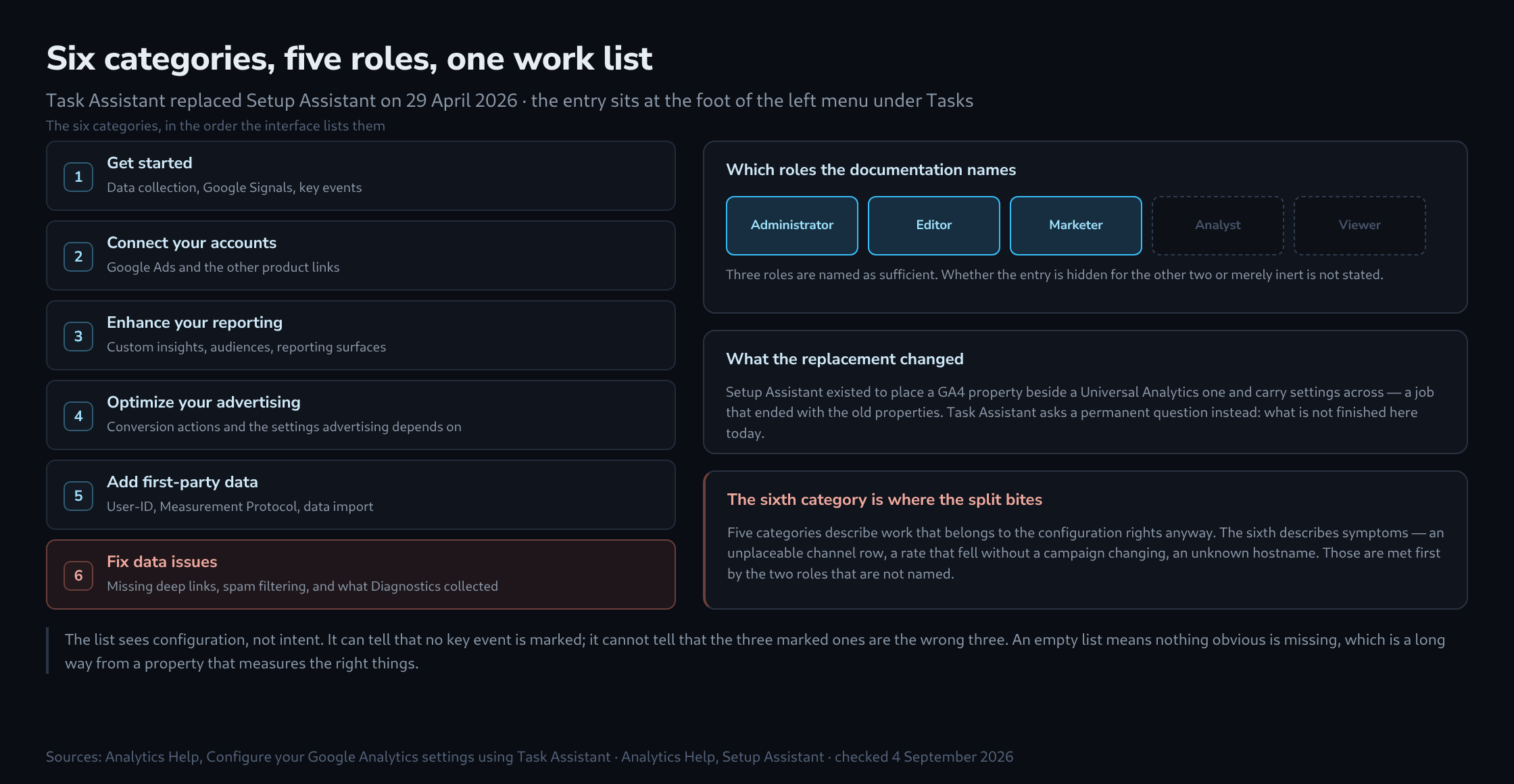
A fixture has gone quietly. The Setup Assistant, the wizard that accompanied properties through the migration years, no longer exists as a product: its help page now carries a single line saying it has been replaced by the Task Assistant. The successor arrived on 29 April 2026 and sits at the foot of the left menu under Tasks.
What it does is quickly told. It reads the property, works out what is missing or half-configured, and lays the result out as a work list in six categories, each entry linking straight to the settings panel it concerns. The part worth a second look is not the list itself. It is the question of who is permitted to open it.
The six categories
The documentation names six groupings, and the order below is the order the interface uses.
Get started              data collection, Google Signals,
                         key events

Connect your accounts    Google Ads and the other product
                         links

Enhance your reporting   custom insights, audiences,
                         reporting surfaces

Optimize your advertising
                         conversion actions and the settings
                         advertising depends on

Add first-party data     User-ID, Measurement Protocol,
                         data import

Fix data issues          missing deep links, spam filtering,
                         and what Diagnostics has collected
The shape is familiar from any onboarding checklist, and so is the temptation to treat a full set of ticks as a verdict. Two properties of the list argue against that, and both are stated in the documentation rather than inferred.
Three roles are named, and there are five
Access requires the Administrator, Editor or Marketer role. Analyst and Viewer are absent from that sentence, and the documentation does not say whether the menu entry is hidden for them or merely inert — only that those three roles are the ones that can use it.
Either way the split runs along an awkward seam. Administrator, Editor and Marketer are the roles that configure. Analyst and Viewer are the roles that read the output of that configuration all day. A missing key event, a filter that never went active, a stream still collecting from a staging domain: these become visible first as an oddity in a report, not as a gap in a settings panel.
The sixth category is where that matters
Five of the categories describe work that belongs to whoever holds the configuration rights anyway. The sixth, Fix data issues, describes symptoms, and symptoms have an audience of their own.
It collects missing deep links, spam filtering and the findings Diagnostics has been accumulating in the background. Those are the items an analyst tends to meet first — as a channel row that cannot be placed, a conversion rate that fell without a campaign changing, a hostname nobody recognises. The person who notices soonest is, by role, not the person the list was written for.
The practical consequence is small and worth settling on the day the role assignment is made: whoever holds Analyst needs a route for reporting an observation, and whoever holds Editor needs a habit of opening the list rather than waiting for it to be mentioned. Neither is a feature request. It is the ordinary cost of a work list that only half the team can see.
What the replacement actually changed
Setup Assistant answered a question that has stopped being asked. It existed to place a Google Analytics 4 property alongside a Universal Analytics one and carry settings across, and that job ended when the old properties did.
Task Assistant answers a different question, and a permanent one: given this property as it stands today, what is not finished. That makes it less of a wizard and more of a standing report, which is why it lives in the navigation instead of appearing once and going away.
The change of name is therefore not cosmetic. A setup assistant is done when setup is done. A task assistant is never done, because properties keep acquiring streams, links and events that arrive without their accompanying settings.
Reading the list without over-reading it
Two habits keep the tool useful. The first is to treat skip as a real answer rather than an admission. A property with no app has nothing to gain from deep-link tasks, and a property that never advertises has nothing to gain from the advertising category; skipping those is what keeps the remaining items meaningful.
The second is to remember what the list cannot know. It sees configuration, not intent. It can tell that no key events are marked; it cannot tell that the three marked ones are the wrong three. It can tell that a filter exists; it cannot tell that it excludes the wrong hostname. An empty list means nothing obvious is missing, which is a useful thing to know and a long way from a property that measures the right things.
Related articles