WordPress Database Hardening: Why wp_postmeta Kills Performance and How to Write Custom Tables
Contents
WordPress Database Hardening: Why wp_postmeta Kills Performance and How to Write Custom Tables
In high-throughput WordPress architectures, relying on the default wp_postmeta table for structured, frequently updated data creates severe performance bottlenecks. The core issue lies in the Entity-Attribute-Value (EAV) database model used by post metadata. When scaling to millions of records, querying across multiple EAV keys requires complex relational table JOINs, non-indexed string evaluations, and heavy PHP serialization overhead. Hardening database performance requires migrating high-velocity data into dedicated, normalized MySQL tables.
1. The EAV Trap: Why wp_postmeta Fails Under Heavy Load
The standard wp_postmeta table stores all values in a LONGTEXT column (meta_value), regardless of whether the underlying data represents a boolean flag, a timestamp, or a floating-point transaction metric. This design introduces critical performance limitations:
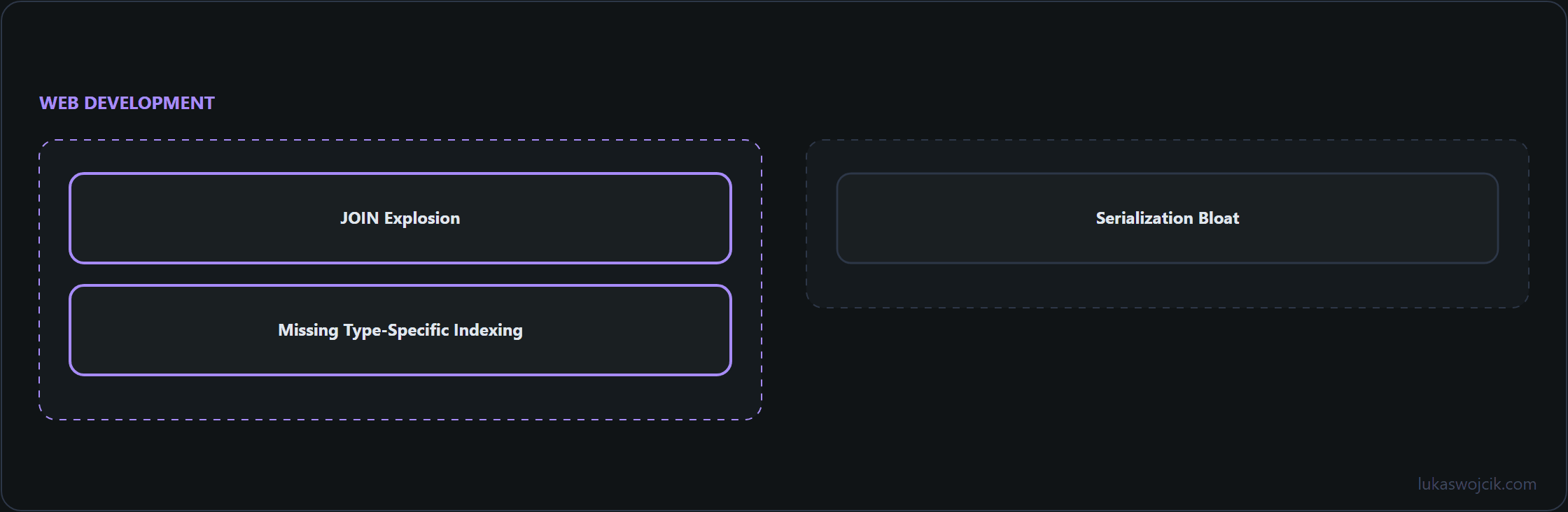
- JOIN Explosion: Selecting posts based on three distinct metadata criteria requires joining the
wp_postmetatable against itself three times, resulting in exponential query complexity and locking InnoDB tables. - Missing Type-Specific Indexing: Because numeric values are stored as strings, database-level sorting (
ORDER BY) and mathematical range comparisons cannot leverage standard B-tree integer indexes efficiently. - Serialization Bloat: Storing arrays or objects in metadata forces PHP to run CPU-intensive serialization and deserialization cycles on every query read and write operation.
2. Designing Normalized MySQL Relational Tables
For custom analytics metrics, logging engines, or transactional records, creating custom MySQL tables via dbDelta() provides strict schema typing and optimal index architecture. Dedicated tables allow assigning explicit data types such as BIGINT UNSIGNED, DECIMAL(10,2), or DATETIME, ensuring that queries execute in milliseconds even when processing millions of rows.
3. Safe Upserts via ON DUPLICATE KEY UPDATE and $wpdb->prepare
When handling high-frequency writes—such as recording analytical pageviews or telemetry data—standard check-then-insert PHP logic introduces race conditions. Utilizing atomic MySQL upserts via ON DUPLICATE KEY UPDATE ensures thread-safe operations without redundant SELECT queries. Every query must be strictly escaped using the $wpdb->prepare() method to prevent SQL injection vulnerabilities.
// Example: High-performance atomic upsert with strict parameter escaping
global $wpdb;
$table_name = $wpdb->prefix . 'custom_analytics_metrics';

$post_id    = 1042;
$event_type = 'conversion_hit';
$hit_count  = 1;

$sql = $wpdb->prepare(
    "INSERT INTO {$table_name} (post_id, event_type, hit_count, last_updated)
     VALUES (%d, %s, %d, CURRENT_TIMESTAMP)
     ON DUPLICATE KEY UPDATE
        hit_count = hit_count + VALUES(hit_count),
        last_updated = CURRENT_TIMESTAMP;",
    $post_id,
    $event_type,
    $hit_count
);

$wpdb->query($sql);
Summary
Abandoning wp_postmeta in favor of dedicated, strongly-typed relational MySQL tables is essential for enterprise WordPress scaling. Implementing atomic SQL upserts with ON DUPLICATE KEY UPDATE and enforcing rigorous query escaping via $wpdb->prepare() guarantees optimal database throughput, minimal locking, and maximum security.
Related articles