

Multi-WAN Failover with the Ubiquiti UniFi UCG-Fiber: Setup, Grounding and Configuration

Contents
Achieving 100% network uptime requires a solid Multi-WAN strategy. The Ubiquiti UniFi UCG-Fiber is an excellent gateway for managing multiple internet sources. This guide covers how to set up a robust three-tier failover system.
The Setup Architecture
A highly resilient network requires diverse connection types to prevent a single point of failure. A reliable architecture utilizes:
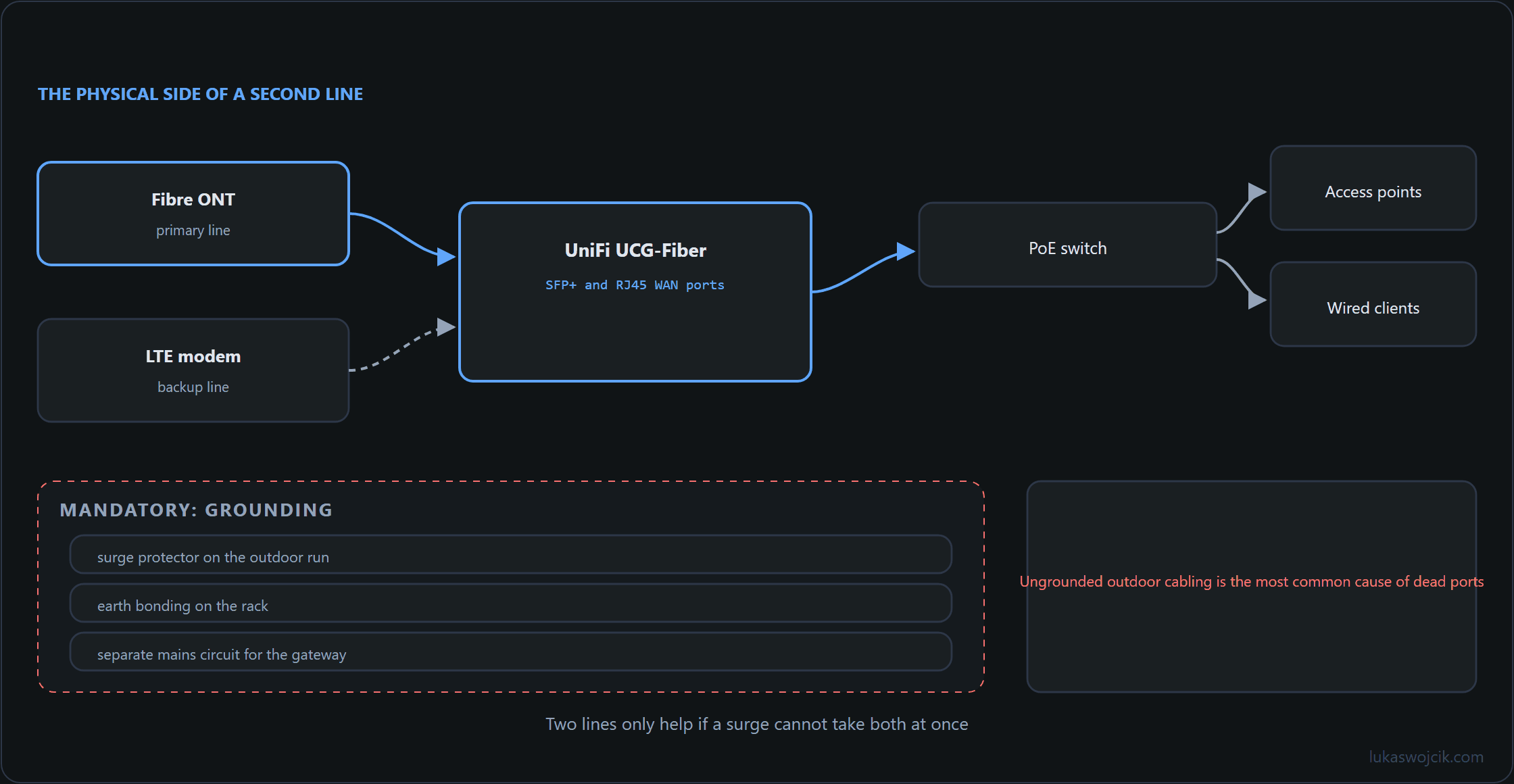
- WAN1 (Primary): Toya (Fiber Optic) – Offers the lowest latency and highest bandwidth.
- WAN2 (Secondary / Failover 1): Starlink – Provides independent satellite routing if the local terrestrial infrastructure fails.
- WAN3 (Tertiary / Failover 2): ZTE 5G Modem – Acts as the final backup utilizing cellular towers.
Recommended Equipment
For optimal integration with UniFi gear, the external modems must support bridge mode or IP passthrough to avoid Double NAT issues:
- Starlink: The Standard (Gen 3), whose router already provides two built-in Ethernet ports behind the rear cover, or the High Performance business model. Both allow bypassing the default Starlink router via bypass mode — no separate Ethernet adapter is required.
- ZTE 5G Modem: The ZTE MC889 outdoor ODU (Outdoor Unit). It is powered via PoE, handles harsh weather conditions, and provides a clean bridge mode directly to the UCG-Fiber.
Installation and Mandatory Grounding
When deploying Starlink and a 5G modem on a metal mast high above the roofline, strict electrical safety protocols must be followed:
- Lightning Protection: The metal mast must be connected directly to the building’s grounding system (earth rod) using a copper wire of appropriate cross-section (e.g., 16mm²).
- Surge Protection Panels: Outdoor Ethernet cables (STP – Shielded Twisted Pair) acting as antennas for lightning induction must not plug directly into core network switches. Cables should be routed down to the central distribution rack—often located in a secure, climate-stable environment like a cellar—and terminated on dedicated PoE surge protection panels before patching into the UCG-Fiber.
- Cable Management: Ensure outdoor-rated, UV-resistant shielded cables are used.
UniFi OS Configuration
- Navigate to Settings > Internet in the UniFi Network application.
- Select the Primary (WAN1) connection and assign it to the port where the Toya fiber is connected (e.g., via an SFP module).
- Add Secondary (WAN2) for Starlink. Under advanced settings, configure Load Balancing to Failover Only (to save power/data) or Distributed if concurrent usage is preferred.
- Add Tertiary (WAN3) for the ZTE 5G modem, setting its priority lower than Starlink.
- Adjust Echo Server settings (e.g., pinging 1.1.1.1 and 8.8.8.8) to ensure the UCG-Fiber accurately detects an outage and initiates the failover seamlessly.
Summary
This guide outlines the implementation of a resilient triple-WAN failover system using the Ubiquiti UniFi UCG-Fiber. By combining a fiber-optic primary connection (Toya) with satellite (Starlink) and cellular (ZTE 5G) backups, a constant internet connection is maintained. The article emphasizes the necessity of professional grounding for roof-mounted equipment and provides technical steps for configuring load balancing and echo servers within the UniFi OS environment.
Sources
Related articles

2 comments
Grounding and surge protection getting more space than the configuration screens is unusual and correct — the failover setup is worthless if one strike takes both roof-mounted devices and the gateway with them.
A question about detection: Starlink in bypass mode stays "up" when it is merely congested. Does the echo server approach notice that, or does it only catch a hard outage?
Only the hard outage. Echo probes are small packets, and a congested link still answers them — so the gateway sees a healthy connection while throughput is unusable. It is the same blind spot that makes a saturated uplink look fine in every dashboard.
Two things narrow it. Where the gateway supports latency thresholds in addition to packet loss, congestion becomes visible as a rising round-trip time long before packets are lost; that is the closest thing to a congestion signal available at this level. And the probe targets should sit on different networks, so that a route problem to one provider does not read as a dead link.
The part that gets skipped, though, is testing the backup path itself. A secondary link that has not carried traffic in six months is an assumption, not a fallback — the modem may have dropped off the network, the bridge mode may have reset after a firmware update, the data plan may have lapsed. Unplugging the primary once a month, deliberately and at a quiet hour, is the only check that covers all three.