English
 Deutsch
 Polski
NVIDIA for Local LLMs: RTX 3060, 3090, 5060 Ti, 5090 and Professional GPUs Compared

Management Summary
Graphics cards perform much of the computing needed by language models, AI systems for text and answers. When these run on a personal computer, available card memory helps determine which models can be used. The article compares NVIDIA cards for this purpose and explains why a newer or professional card is not automatically a better fit. Power, cooling and the rest of the computer also matter. The goal is enough useful capacity for the intended work without unnecessary spending.
Contents
For a local language model, the first question is how much graphics memory is actually available. VRAM is memory on the graphics card. Full execution on one card must fit model weights, the learned numbers, as well as text state and calculation buffers. A fast card with too little memory can therefore be less suitable than an older, larger card. Gaming frames per second and theoretical AI TOPS (trillions of operations per second) do not reliably establish usable model size or answer speed.
The table covers selected unmodified desktop cards and official memory variants, not laptop versions or memory modifications. No original speed measurements are available. The comparison separates GPU price, the rest of the computer and electricity use. Current offers require a separate comparison.
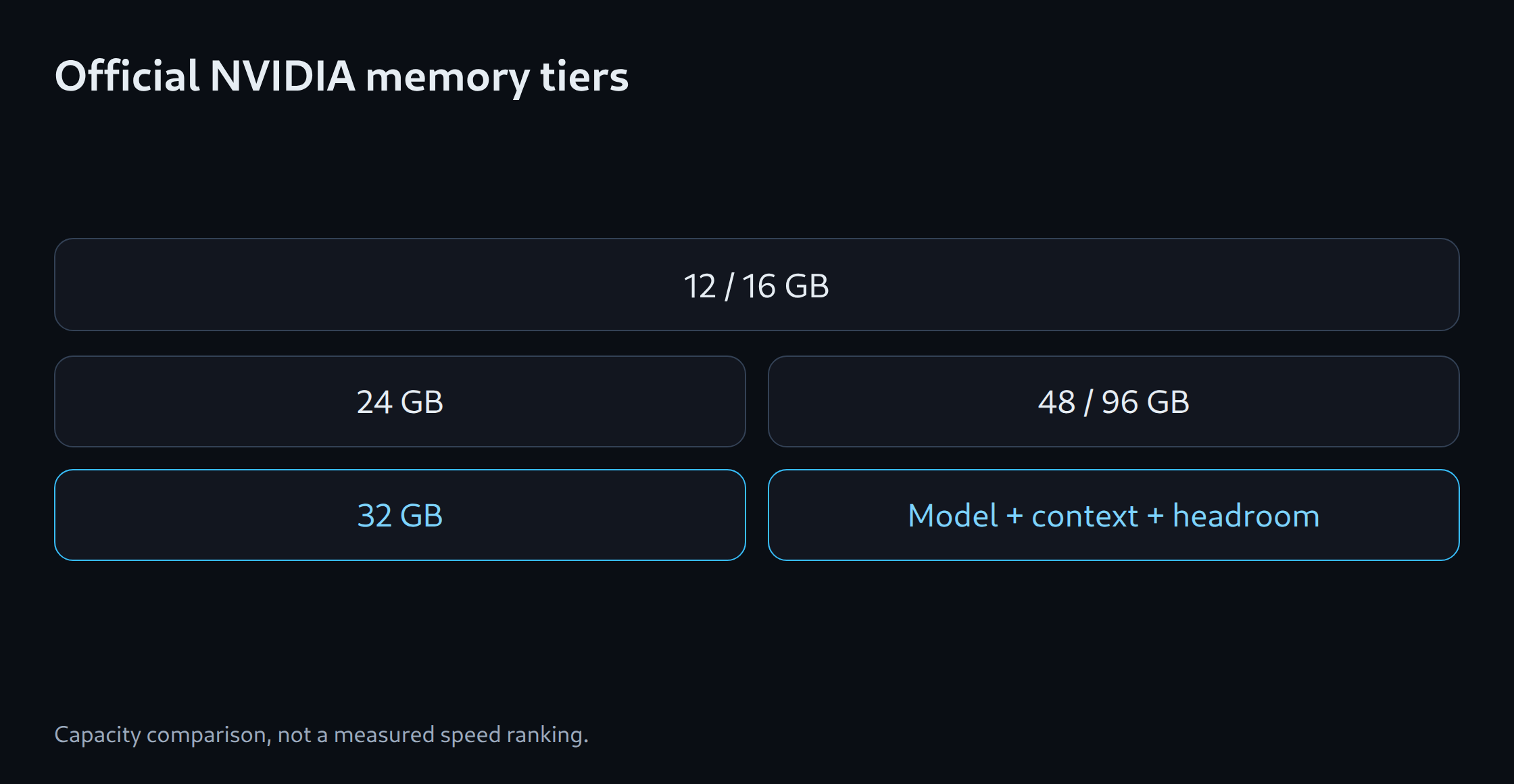
Official memory tiers
| GPU | Selected memory | Role |
|---|---|---|
| RTX 3060 | 12 GB | Entry option; distinct from 8 GB version |
| RTX 5060 Ti | 16 GB | 16 GB version; an 8 GB version also exists |
| RTX 3090 | 24 GB | Older high-capacity GeForce; used candidate |
| RTX 4090 | 24 GB | Different compute architecture, same capacity tier |
| RTX 5090 | 32 GB | Higher official GeForce capacity |
| RTX 6000 Ada | 48 GB | Professional single GPU |
| RTX PRO 6000 Blackwell Workstation Edition | 96 GB | Professional high-capacity GPU |
Capacity before speed claims
Moving from 12 to 24 GB may enable a larger model or longer input. RTX 3090 and RTX 4090, however, both have 24 GB. Under the same memory assumptions, that change provides no larger capacity. Different software or number formats can change requirements, but that would be an additional configuration change rather than extra card memory.
32, 48 or 96 GB provide more room without guaranteeing a particular workload for every model. Long documents, generated answers and simultaneous requests also need memory. A high-capacity single card can avoid splitting a model across cards. Whether the extra price is worthwhile depends on the model and task actually required.
Architecture and runtime remain purchase criteria
CUDA is NVIDIA’s platform for GPU calculations. A CUDA-capable card still does not support every model application or number format. Compute capability denotes a technical GPU feature level, not measured speed. Current vLLM installation documentation requires at least level 7.5 for NVIDIA; individual calculation methods can impose stricter requirements. A kernel is a GPU calculation routine. Quantisation stores model numbers with fewer bits and needs compatible routines.
A purchase therefore needs a precise combination: GPU model, driver, operating system, execution application and version, model revision and number format. A working game does not validate that combination. A useful check is successful execution of the intended model with the planned input length. Answer errors and wait time matter too. New hardware needs matching software just as older cards do.
Used and professional cards: comparison criteria
A used RTX 3090 offers 24 GB. Whether an offer is economical depends on current total price and condition. A functional test should examine memory errors, crashes, unusual temperatures and noise under sustained load. A brief startup does not reliably reveal these problems. Passing a test is not a guarantee of remaining service life either. Return and warranty terms therefore belong in the comparison.
Professional cards can offer more memory and specific features. NVIDIA, for example, lists ECC memory for RTX 6000 Ada and RTX PRO 6000 Blackwell Workstation Edition; ECC detects and corrects certain memory errors. This does not replace functional testing or guarantee better text answers. Additional memory may allow a different model or number format. The professional label alone provides no answer-quality advantage with the same model and settings.
Total system and multiple GPUs
The particular card must fit the power supply, power connectors, case length, free slots and cooling. Electricity estimates preferably use whole-computer consumption measured at the wall. Example: 0.3 kW for 10 hours equals 3 kWh; at €0.30 per kWh that costs €0.90. These are calculated assumptions, not measurements of any listed card. Powered-on hours without model work also consume electricity.
Two 24 GB GPUs retain separate memories. Suitable software can distribute weights or calculations; intermediate data and possible copies also require space. A model needing 48 GB in total therefore does not automatically fit across two such cards. Connections and distribution affect wait time. A memory calculator supports an initial shortlist. A confirmed model test, sufficient headroom and full system cost remain decisive.
Memory planning for model selection: LLM VRAM estimator.
Related tools
Questions and answers
Do two 24 GB GPUs automatically provide 48 GB for one model?
No. The cards retain separate memory. Software must support splitting the model, and intermediate results also need space. Testing the actual arrangement establishes whether it fits.
Does a professional GPU inherently produce better answers?
Not from the label alone. More memory may enable a different model; features such as ECC address memory errors. A comparison using the same tasks is needed to assess answer quality.
Sources
- NVIDIA: RTX 3060 family
- NVIDIA: RTX 5060 family
- NVIDIA: RTX 3090
- NVIDIA: RTX 5090 32 GB
- NVIDIA: RTX 6000 Ada 48 GB
- NVIDIA: RTX PRO 6000 Blackwell 96 GB
- vLLM: GPU installation
- NVIDIA: RTX 4090 24 GB
Sources checked again: 25 October 2026. No original GPU benchmarks; electricity costs are a calculated example.
Related articles