English
 Deutsch
 Polski
Ollama, LM Studio, llama.cpp or vLLM: Which Software Fits Local LLMs?

Management Summary
Ollama, LM Studio, llama.cpp and vLLM run language models, AI systems that work with text and produce answers. They can operate on a personal computer or provide a shared service for several applications. This offers more control over operation but requires suitable hardware and setup. The article explains the different priorities: straightforward controls matter for an individual chat, while shared use also needs reliable access and sufficient speed.
Contents
A local LLM is a language model that calculates answers on the computer hosting it. Desktop chat benefits from simple controls. A script needs an application programming interface, or API. Several simultaneous requests also require enough memory and acceptable waiting times. The interface displays the conversation; model management downloads model files; the runtime calculates the answer. One product can perform several of these jobs.
This comparison describes documented features. It does not report original speed measurements. Whether a combination works depends on the software version, model and hardware.
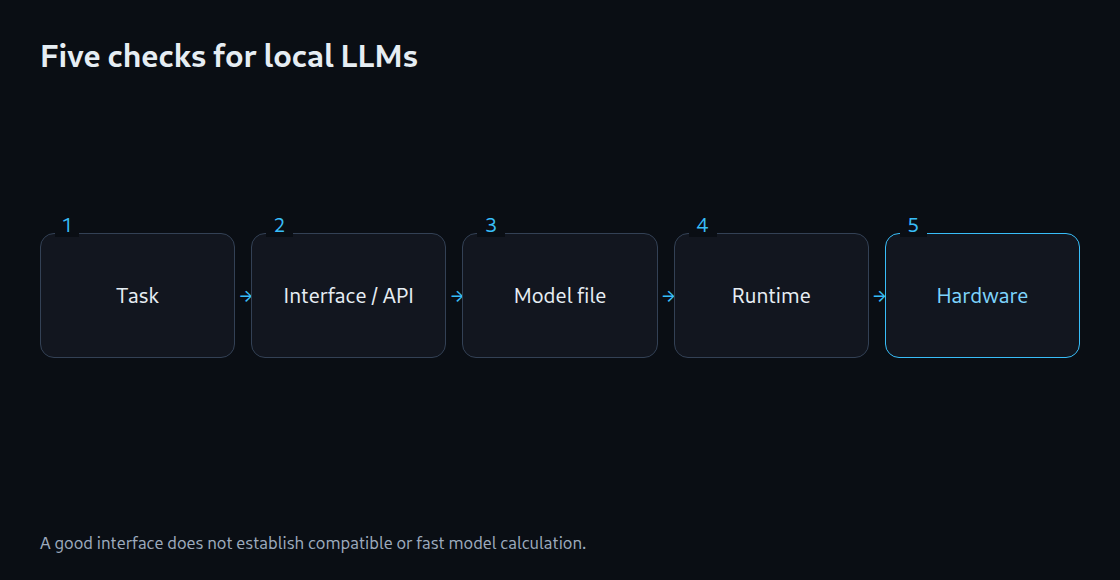
Six paths with different priorities
| Software | Useful strength | Checks before deployment |
|---|---|---|
| Ollama | Model downloads and API access | Model file, selected device and maximum input length |
| LM Studio | Chat interface, API and operation without an interface | Model format, runtime and GPU use |
| llama.cpp | GGUF execution with direct settings | Software version and support for the particular model |
| MLX LM | Language model execution on Apple Silicon | Compatible MLX files and available memory |
| vLLM | Model services for applications and concurrent requests | Operating system, device, model format and plugin |
| OpenVINO GenAI | Model calculation on supported Intel hardware | Compatible model format and CPU, GPU or NPU support |
CPU means the main processor; GPU means the graphics processor. An NPU is an additional processor for certain AI calculations. Device support does not mean every model runs on that device.
Desktop and API capabilities
LM Studio offers both a graphical interface and an API. Its llmster service runs without the desktop interface. Ollama combines model management with an API. The choice is therefore more than “desktop or server”: the required features and controls matter. Adding a chat interface does not automatically make the underlying runtime faster.
llama.cpp provides direct settings for model calculation and hardware use. This helps, for example, when repeating tests with the same startup configuration. Despite its name, the project supports model families other than Llama. The particular model architecture still needs support in the installed version.
The backend determines hardware compatibility
The backend is the part of the runtime that communicates with the hardware. For example, an NVIDIA configuration may use CUDA, while an Apple configuration uses Metal. NVIDIA instructions therefore cannot transfer unchanged to Intel Arc. Ollama also supports Vulkan on Windows and Linux. The driver and backend must be installed, and the graphics card must be detected. The ollama ps display shows whether a loaded model occupies CPU memory, GPU memory or both.
Apple Silicon options include MLX LM and programs supporting Metal. Model files prepared for MLX and GGUF files use different formats. A software change requires matching the model version, tokenizer and chat template. The tokenizer divides text into model-readable pieces; the chat template arranges roles and messages for the model. Different answers may otherwise come from differently prepared input alone.
vLLM for the appropriate serving workload
vLLM provides a model service for applications, including concurrent requests. The regular GPU installation requires Linux; Windows can use WSL, a Linux environment within Windows. Apple Silicon also has the separately maintained vLLM-Metal plugin, which uses MLX. Its supported models and features need separate checks. Even a supported GPU does not automatically support every method of model compression.
For a single chat, important measurements include the wait before text first appears and the rate of the remaining output. With several chats, total completed output and time spent in queues also matter. A fast single request therefore does not establish good performance under concurrent load.
A local installation does not always mean local calculation
Ollama can also use cloud models. Its documentation provides OLLAMA_NO_CLOUD=1 for local-only operation; a configuration change requires a restart. LM Studio can run downloaded models locally without an internet connection. Search, downloads and updates require connectivity. For both products, the relevant question is which model runs on which computer.
A defensible selection process
Selection starts with the operating system, hardware and model. Specific tasks follow, such as producing valid JSON, a structured text format, proposing a tool call or describing an image. A comparison needs the same questions, model version and settings. These include the amount of text available in the context and the randomness settings for generation. Otherwise the cause of different results remains unclear.
A desktop application may suffice for one chat. A service used by other programs also needs documented startup settings, understandable error messages and limits on concurrent requests. The memory estimator assesses whether a model might fit the hardware. A practical test still needs to establish whether the intended device is used and response times are acceptable.
Memory planning for model selection: LLM VRAM estimator.
Related tools
Questions and answers
Are Ollama and llama.cpp interchangeable?
Ollama manages models and provides its own API. llama.cpp exposes calculation and hardware settings more directly. A switch requires comparing model files, chat templates and required features. The same model name alone does not guarantee identical results.
Is vLLM necessary for a single desktop chat?
No. A simpler application may suffice for one chat. vLLM is an option when its particular features are needed. A possible advantage under concurrent load does not establish usability or the waiting time for a single chat.
Sources
- Ollama: Hardware support
- LM Studio: Documentation
- llama.cpp: Project and supported hardware
- vLLM: GPU installation
- MLX LM: Models on Apple Silicon
- OpenVINO: Generative AI workflow
- Ollama: FAQ
- LM Studio: llmster / headless
- LM Studio: Offline operation
- vLLM-Metal: Installation
- OpenVINO GenAI: Project and model preparation
Sources checked: 25 October 2026.
Related articles