English
 Deutsch
 Polski
GA4 Measurement Protocol: Payloads, Limits, and Checks Before Sending

Management Summary
The GA4 Measurement Protocol is a way for business systems to send events directly to Google Analytics, such as a payment confirmed after a website visit. This can connect later business outcomes with earlier online activity and make reporting more useful. The connection depends on matching identifiers, accurate times and permission to process the data. A successful delivery response alone does not mean that the purchase appears correctly in reports or is linked to the right visit.
Contents
The Measurement Protocol sends events from a server to Google Analytics 4. One example is a payment confirmation arriving later from a payment provider. The payload is the content of that transmission: a JSON document containing identifiers and event data. The protocol supplements collection through the Google tag or Firebase SDK. A server request does not replace a complete browser integration or the decision about permitted data processing.
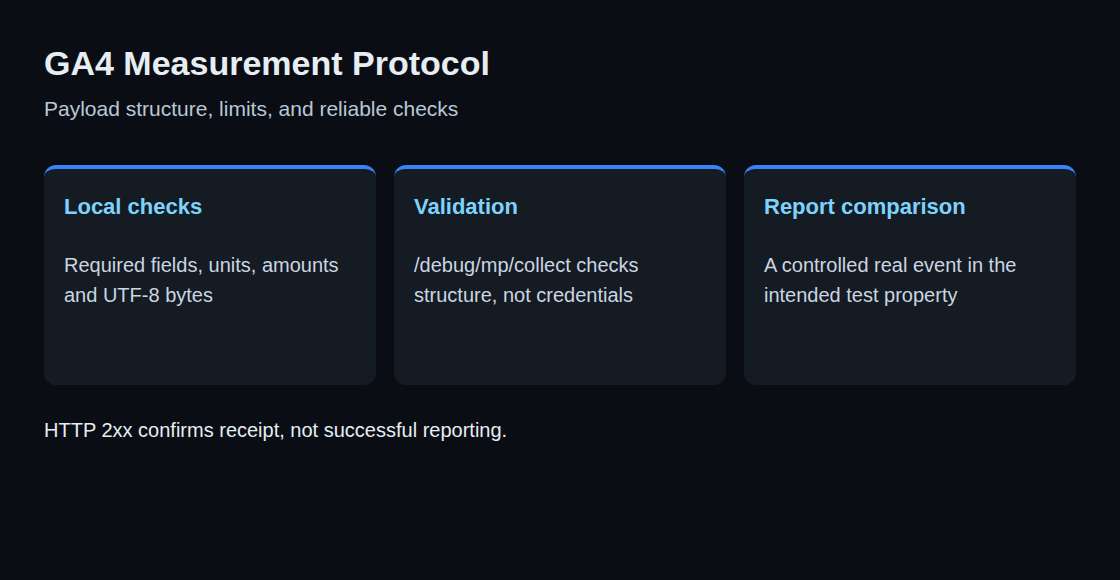
The crucial distinction is straightforward: An HTTP response in the 2xx range confirms receipt of the request, not inclusion of the event in a report. Invalid data can also arrive without a meaningful HTTP error. A fixed 204 response to every conceivable request is not a guaranteed interface property.
Address, secret, and content
Transmission uses HTTPS POST to https://www.google-analytics.com/mp/collect. Google documents https://region1.google-analytics.com/mp/collect for EU data collection. That endpoint alone does not establish that every subsequent processing step takes place exclusively within the EU.
For a web stream, measurement_id and api_secret belong in the URL parameters. The measurement ID identifies the stream; the API secret authorizes transmission. Only the secret is confidential. Browser code, public repositories, and unredacted URL logs are unsuitable places for it. App streams use firebase_app_id instead of the measurement ID.
The JSON contains client_id for web events or the Firebase SDK’s app_instance_id for apps. Linking an event to an existing website visit requires a client ID matching the Google tag’s identifier. A fresh random identifier for every payment disrupts that link and can distort user counts. It does not automatically imply a new session for every request.
A small purchase example
The following JSON illustrates a web purchase. All identifiers and the engagement duration are example data requiring suitable replacements before real transmission. The optional engagement duration must reflect time actually measured since the preceding event; a background payment alone provides no such measurement. Without a supplied historical timestamp, the receipt time applies.
{
  "client_id": "1234567890.1700000000",
  "events": [
    {
      "name": "purchase",
      "params": {
        "transaction_id": "T-8891",
        "currency": "EUR",
        "value": 20,
        "session_id": 1700000000,
        "engagement_time_msec": 100,
        "items": [
          {
            "item_id": "A-1",
            "price": 10,
            "quantity": 2
          }
        ]
      }
    }
  ]
}
The item value here is 10 euros multiplied by two units. value contains the item total excluding separately reported shipping and tax; currency identifies the currency. A stable, unique transaction_id supports purchase deduplication. Retrying the same technical transmission must therefore not generate a new order identifier.
session_id links the event to a session; a new session identifier can create a new session. engagement_time_msec describes engagement duration in milliseconds. Both help session and engagement metrics and Realtime reporting. Missing values explain potential gaps, but do not prove that an event is absent from every report.
Optional fields with a clear purpose
user_id is an optional internal user identifier. Email addresses and phone numbers do not belong there or in ordinary event parameters or user properties. The separate user_data feature has its own prerequisites and preparation rules, including normalization and hashing for specified data. The field does not authorize arbitrary personal information.
user_properties describes attributes such as a customer tier. user_location, ip_override, and device can supply location or device information. Additional data needs an understood origin, sufficient accuracy, and a permitted use. An unchanged dataLayer object does not automatically fit this protocol. Custom fields need mapping and validation against the reference; an unknown key is not documented to destroy the entire request in every case.
Names and important limits
Recommended event names have defined meanings. purchase represents a purchase; the capitalized Purchase is a different name. Reserved names such as session_start are not substitutes for a correct session identifier. screen_view, ad_impression, and in_app_purchase are intended for app streams.
| Field | Limit |
|---|---|
| JSON body | below 130 kB |
| Events per request | 25 |
| Parameters per event | 25 |
| Event / parameter name | 40 characters |
| User properties per request | 25 |
| Property name / value | 24 / 36 characters |
| String parameter value | 100 characters; 500 for Analytics 360 |
| Custom item parameters | 10 in the sending guide; see discrepancy below |
The sending guide specifies at most ten custom item parameters, while the purchase event reference lists 27. Until that documentation conflict is resolved, ten is the more conservative limit for Measurement Protocol requests. The table summarizes frequently relevant limits rather than replacing the individual event reference.
Characters and bytes measure different things. An accented character can occupy multiple UTF-8 bytes. Request size therefore depends on the serialized JSON, for example Buffer.byteLength(JSON.stringify(payload), 'utf8') in Node.js. There is no fixed threshold of 29 items per event: longer product names and additional fields change the size. A batch must satisfy both the event-count limit and the byte limit.
Timestamps without unit mistakes
timestamp_micros uses microseconds since 1 January 1970. For an existing JavaScript event time in milliseconds, eventTimeMs * 1000 produces the required unit. A millisecond value accidentally sent as microseconds mathematically describes a date in 1970.
Google distinguishes two cases for timestamps older than 72 hours. Without validation_behavior, or with RELAXED, the timestamp is adjusted to 72 hours before receipt. With ENFORCE_RECOMMENDATIONS, the event is rejected. A unit error can therefore produce incorrect timing rather than complete event loss.
The sending guide additionally specifies a 48-hour window for joining events with those already collected by a tag or SDK. The permitted backdating window alone does not guarantee correct attribution to advertising or earlier visits.
Another documentation conflict concerns individual event timestamps: the sending guide places timestamp_micros directly on an event, while the reference lists it among event parameters. A simple implementation uses the clearly documented request-level timestamp and groups only events sharing that time. Different times then require separate requests.
Consent and validation
The consent object supports ad_user_data and ad_personalization, with GRANTED or DENIED. Without that object, GA4 uses settings from corresponding online interactions. analytics_storage and ad_storage are not documented fields here. The sender therefore needs a separate decision about whether transmission is permitted before sending. A missing client ID or an ad blocker is not a reason to bypass a refusal with invented identifiers. non_personalized_ads is deprecated; consent.ad_personalization is the replacement.
The validation endpoint /debug/mp/collect returns validationMessages. These test events do not appear in reports. Google recommends ENFORCE_RECOMMENDATIONS during testing and omitting validation_behavior in production. An empty message list is still not an end-to-end check: the validation endpoint does not check the stream identifier or API secret.
Questions and answers
What makes transmission verifiable?
Three separate checks serve different purposes: sender code checks required fields, types, limits, and purchase amounts; the validation endpoint examines new payloads; a controlled real transmission is then compared with reports in the intended test property. In production, aggregated transmission counts and minimal technical correlations help. Full payloads and secrets do not belong in ordinary logs.
What matters during API secret rotation?
The new secret is configured in the affected senders and checked through a controlled transmission before the old secret is removed. HTTP success and an empty validation message list do not prove that the new secret reaches the intended property.
Does a server request replace missing browser measurement?
The Measurement Protocol supplements tag collection. A server request does not automatically reconstruct missing identifiers, consent decisions, or session information. A payment can be transmitted technically without every reporting association becoming complete.
Related articles