English
 Deutsch
 Polski
The GA4 Dashboard: Card Limits, Segments and Data Access

Management Summary
The GA4 dashboard brings selected website statistics together on one overview page in Google Analytics. Movable cards show figures, trends and comparisons, helping teams follow questions such as where visits come from or how sales develop. The article explains what this built-in overview can replace and where other reporting tools remain useful. The choice depends on the required analysis, available space and data access, rather than appearance alone. A shared dashboard does not override restrictions on sensitive figures.
Contents
The native GA4 dashboard brings selected metrics together on an editable page in Reports. Each card is a separate tile containing a metric, table or chart. Cards can be moved and resized on a grid. The useful question before replacing an existing report is whether the required data, analysis and sharing options fit this surface.
Six card types for different questions
- Scorecard: one KPI; date comparisons can add a percentage change.
- Table: detailed rows, pagination and shaded bars.
- Line chart: trends by day, week or month.
- Bar chart: comparisons between dimension values.
- Donut chart: contributions to a total.
- Funnel chart: conversion steps and drop-offs.
Creation starts under Reports → + Create → Dashboard. Dimensions describe categories such as country; metrics are measured values such as event count. Dimensions and metrics are assigned to charts, with settings in the right panel. Save preserves the work; Publish adds the dashboard to the Reports navigation.
Fifteen or thirty cards per dashboard
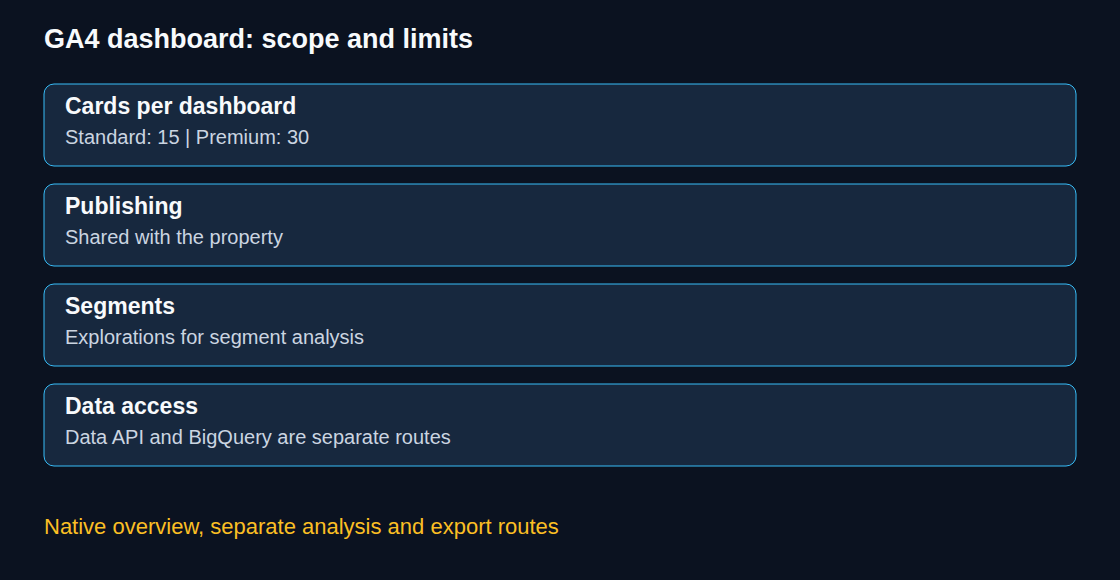
Google documents a limit of 15 cards for standard properties and 30 for premium properties. Four scorecards, a line chart and a table use six cards. Duplicating that entire layout uses twelve; showing several categories within one table does not require a card for every category.
A focused page can be easier to scan than a collection of unrelated metrics. Separate dashboards for acquisition and sales are one possible arrangement. The choice depends on the questions and reading order, rather than a rule that each audience needs a separate dashboard.
Three documented limitations, with narrower consequences
Dashboard API support is unavailable. The GA4 Data API still provides programmatic reports, for example for a separate reporting application. BigQuery Export provides another route for event data. Neither route is an export of the dashboard layout; definitions and results also need reconciliation. Missing dashboard API support alone does not establish whether a particular interface export or delivery option exists.
Segments are unsupported here. A breakdown by an available dimension can answer a simple comparison, such as traffic by country. A segment can instead select users, sessions or events through explicit conditions. Selecting sessions with two particular events requires analysis of that session population; a category breakdown alone is not equivalent. Explorations provide segments. The dashboard overview does not document enough detail to promise a specific filter configuration for individual cards.
Card-level comparisons are unsupported. Date comparisons on scorecards are nevertheless documented. These statements do not fully describe the available date controls. A requirement for different comparison periods on separate cards therefore needs validation in the actual editor before migration.

Published dashboards are shared with the property
Editor or Administrator access is required to create and publish dashboards. Published dashboards are available to users with property access. This published scope does not establish the visibility of every draft, and access to a dashboard does not remove applicable data restrictions, such as restrictions on cost or revenue metrics.
Names that identify a purpose and responsible team make the shared navigation easier to maintain. An occasional review can remove duplicate or obsolete dashboards through the appropriate editing workflow.
Choosing between reports, explorations and a separate reporting tool
Standard reports are customizable: detail reports can have dimensions, metrics, filters and charts adjusted. Explorations are useful for open-ended analysis and segments. The native dashboard is an additional way to arrange a recurring overview directly inside Analytics.
A migration decision needs a small prototype containing the actual metrics and breakdowns. A report combining GA4 with external CRM or spreadsheet data, requiring a different audience or scheduled delivery needs a separate check of data connections and sharing. A card count above fifteen is a limit for a standard dashboard, not a universal reason to reject the native feature: the premium limit and a sensible split across dashboards may be relevant.
Questions and answers
Does a dimension replace a segment?
Only when the dimension breakdown answers the actual question. A country breakdown and a segment of sessions containing both a form submission and a purchase describe different analyses. User properties are not a general replacement for segment conditions.
Does the card limit justify a premium property?
The limit applies to each dashboard. A decision needs the complete reporting requirements and licensing conditions. A smaller set of cards or several focused dashboards may already cover the intended overview.
Can dashboard figures be used elsewhere?
Underlying GA4 data can be queried through the Data API or analyzed through an appropriate export pipeline. That requires a separate implementation with matching metric definitions and access controls; the native dashboard is not automatically reproduced.
Sources
Related articles