BigQuery Costs for the GA4 Export: Which Tables and Columns a Query Reads and the Free Dry Run

Contents
The GA4 export is charged by the byte, and the byte count has almost nothing to do with the answer. A query returning forty rows and a query returning four million can read exactly the same amount, because what is billed is what had to be opened on the way – not what came back at the end.
Two details decide it: how many of the daily tables the engine has to open, and how many columns it has to read inside them. Both are settled before a single row is produced, and both can be read off in advance.
Reading Is Billed, Returning Is Free
The most expensive misunderstanding in this area is LIMIT. A limit is applied after the data has been read; it caps the result set and changes the cost by nothing at all. The same is true of ORDER BY and of anything else that happens once the rows exist.
Which means the habit of exploring with SELECT * ... LIMIT 10 – reasonable in almost every other database – is the most expensive way to look at a GA4 export. Ten rows of every column across every table in the wildcard is a full scan with a small window at the end.
Why event_date Does Not Prune Anything
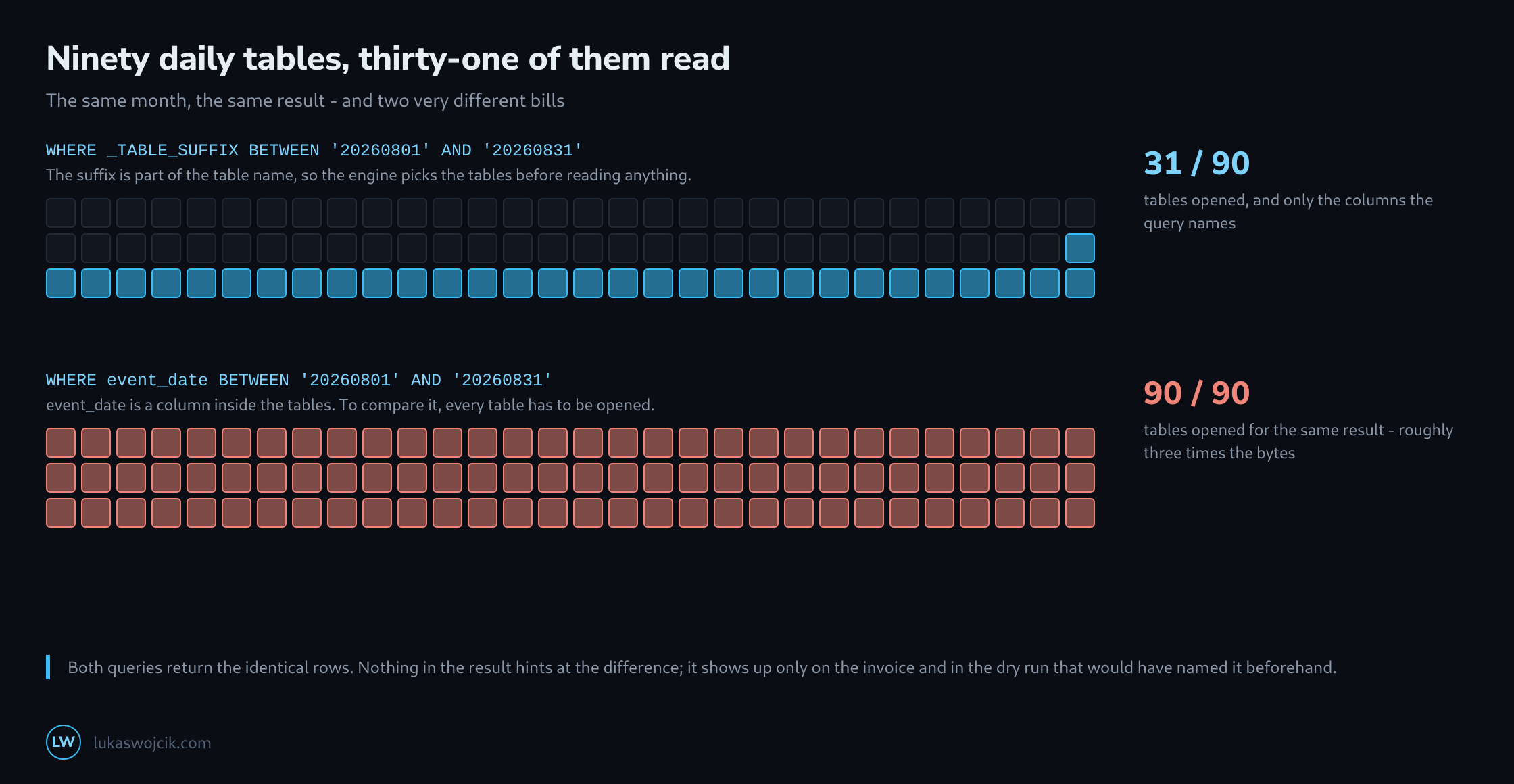
The daily tables are addressed by a wildcard, and _TABLE_SUFFIX is the part of the table name that follows it. Filtering on it selects tables, and selection happens before reading – the engine simply never opens the rest.
event_date looks like it does the same thing and does the opposite. It is a column inside every table, so to find out whether a table contains matching rows, the table has to be opened and the column read. The filter is applied correctly, the result is identical, and the bill covers the whole wildcard.
# prunes: the suffix is part of the name
WHERE _TABLE_SUFFIX BETWEEN '20260801' AND '20260831'

# does not prune: the column lives inside the tables
WHERE event_date BETWEEN '20260801' AND '20260831'

# both return the same rows
The same logic explains why the wildcard also matches events_intraday_* and why the suffix filter excludes it: intraday_ sorts after any eight-digit date, so a range ending in a date leaves it outside. That is a side effect worth knowing rather than relying on – for the current day, the intraday table is queried on purpose and separately.
Columns Are the Second Lever
Within the tables that do get opened, the cost is the sum of the columns the query names. This is where the export’s shape matters: event_params is one nested column holding every parameter of every event, and a query that pulls a single parameter out of it reads the whole column.
There is no way to read only page_location from inside that array. Which is not an argument against using it – it is an argument for naming columns explicitly rather than reaching for SELECT *, because the columns that are genuinely large are exactly the ones nobody needs: user_properties, items, collected_traffic_source and the device and geo structures.
What Each Measure Actually Changes
| Measure | Effect on bytes read |
|---|---|
_TABLE_SUFFIX instead of event_date |
from every table in the dataset down to the ones in range |
naming columns instead of SELECT * |
proportional – often the largest single saving |
LIMIT 100 |
none |
| a filter on an event parameter | none – event_params is read whole either way |
a filter on event_name |
depends on how the tables are clustered – the dry run says |
| a slim table written once per day | a fraction, permanently, for every query that follows |
The clustering row is deliberately not answered here. Whether a filter on event_name reduces bytes depends on the dataset, and guessing about it is unnecessary when the exact answer is one keystroke away.
The Dry Run Is Free and Exact
BigQuery computes the byte estimate from table metadata without executing anything, which makes it both free and precise. The editor shows it in the corner before the query is sent; the command line has the same thing as a flag.
bq query --use_legacy_sql=false --dry_run 'SELECT ...'

Query successfully validated.
Assuming the tables are not modified,
this query will process 41,203,847,552 bytes of data.
Forty-one gigabytes is a number a decision can rest on. Running the query first and finding out afterwards is the same information at a worse moment, and the difference between the two habits is one line in front of the statement.
What Repeats Belongs in a Narrow Table
The last lever is structural rather than syntactic. An analysis that runs every morning against ninety days re-reads eighty-nine days that have not changed since yesterday.
A scheduled query that writes the handful of fields actually used into its own table, once per day, turns that into reading one day and then querying something small. The daily job costs what one day costs; everything downstream costs a fraction of what it did. It is the same trick as a materialised view and worth reaching for as soon as a query has been run by hand three times.
Related articles