English
 Deutsch
 Polski
Ollama, LM Studio, llama.cpp or vLLM: Which Software Fits Local LLMs?

Contents
Choosing software for a local LLM starts with the workload. Desktop chat, an API used by a script and a service handling concurrent requests need different properties. Popular products also occupy different layers: interface, model management and inference engine are separate concepts.
This comparison evaluates documented capabilities rather than reporting original speed measurements. Runtime version, model architecture and hardware remain part of every specific decision.
Six paths with different priorities
| Software | Useful strength | Checks before deployment |
|---|---|---|
| Ollama | Model management and local API | Backend, model tag and context |
| LM Studio | Desktop interface and model selection | Runtime, format and GPU offload |
| llama.cpp | Direct controls, GGUF, many backends | Build and architecture support |
| MLX LM | Apple Silicon execution | MLX artifact and memory headroom |
| vLLM | API serving and concurrency | OS, GPU and quantisation kernel |
| OpenVINO GenAI | Separate optimised inference path | Model conversion and target device |
Separate desktop and API decisions
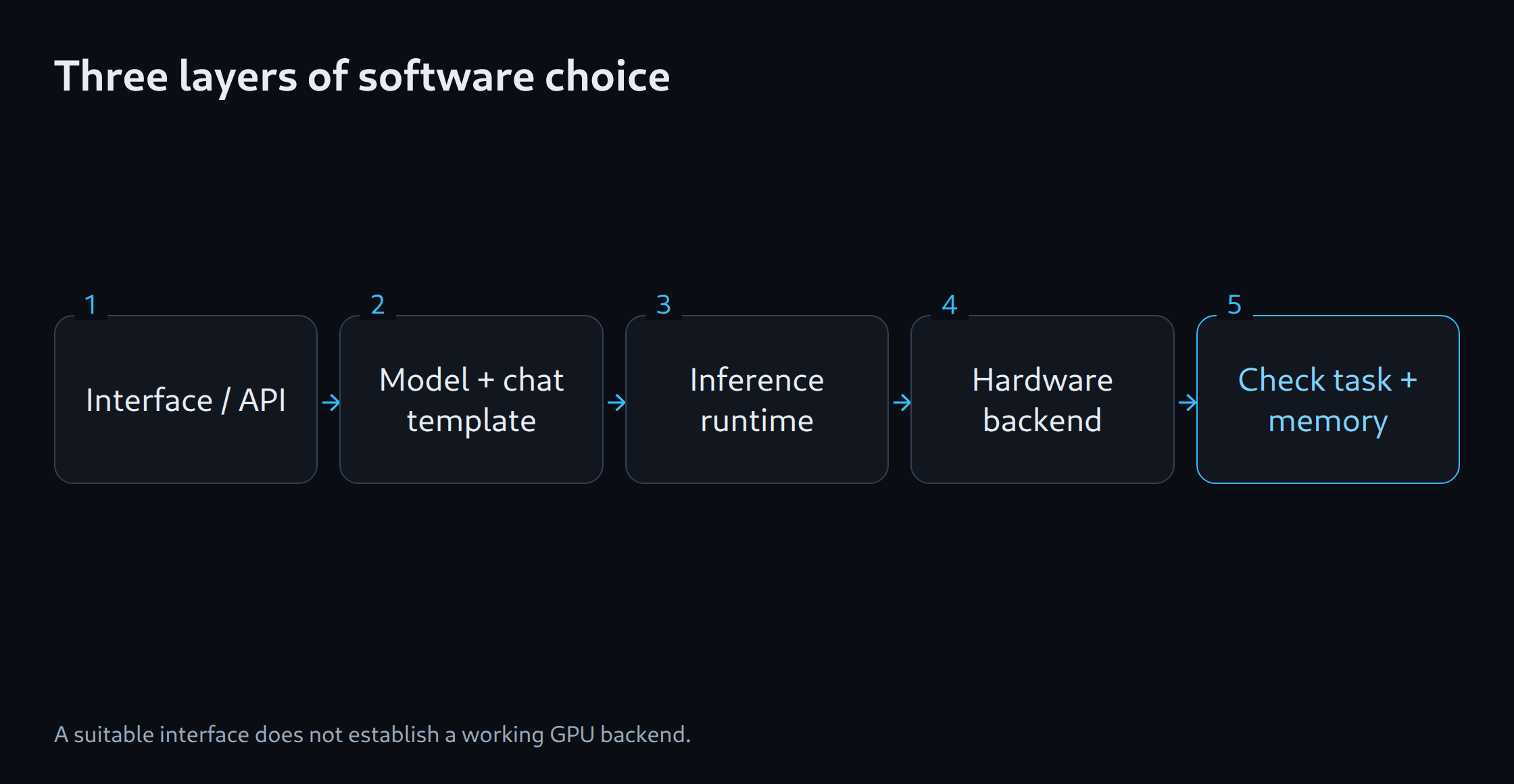
LM Studio suits a graphical introduction. Ollama provides a relatively compact service combining model management with an API. Adding a chat interface does not automatically change the runtime beneath it. A comfortable chat interface therefore does not establish server throughput.
llama.cpp exposes model settings and hardware backends more directly. Extra control is useful for reproducible configurations or unusual hardware. Its name refers to a runtime rather than restricting inference to the Llama model family.
The backend determines hardware compatibility
CUDA, Metal, Vulkan, SYCL and XPU represent distinct execution paths. NVIDIA instructions cannot transfer unchanged to Intel Arc. Ollama documents additional Vulkan support on Windows and Linux; the installed driver, backend and actual device detection must align.
MLX LM and suitable Metal paths are natural candidates on Apple Silicon. An MLX quantisation and a GGUF file remain different artifacts. Switching backends requires checking model revision, tokenizer and chat template. Otherwise a different answer may reflect a changed configuration rather than a better engine.
vLLM for the appropriate serving workload
vLLM focuses on serving. GPU installation documentation specifies Linux, with WSL among the Windows options. This differs from the native Windows installation experience of desktop applications. A supported GPU also does not guarantee every quantisation kernel.
A single session prioritises time to first token and smooth generation. Concurrent sessions add aggregate throughput, queues and latency under load. A fast individual request does not settle a multi-user comparison. SGLang provides another serving candidate whose current model support requires separate verification.
A defensible selection process
The operating system, existing hardware and intended model come first. Required features follow: structured output, tool calling, image input or offline operation. A common task set then runs with a recorded model revision, context and sampling configuration.
A small desktop assistant does not require a complex serving stack merely as a precaution. An API service needs reproducible startup settings, useful error logs and explicit load limits. The existing memory estimator helps assess model fit; the final software choice follows a verified backend and the actual workload.
Memory planning for model selection: LLM VRAM estimator.
Related tools
Questions and answers
Are Ollama and llama.cpp interchangeable?
Ollama adds model management and its own API. llama.cpp exposes more direct runtime and backend controls. Model format, chat template and supported features determine whether a switch works.
Is vLLM necessary for a single desktop chat?
A single session does not automatically justify additional serving complexity. The choice depends on the operating system, hardware, model and required API features. Higher throughput under concurrency does not replace an assessment of usability.
Sources
- Ollama: Hardware support
- LM Studio: Dokumentation
- llama.cpp: Projekt und Backends
- vLLM: GPU installation
- MLX LM: Projekt
- OpenVINO: Generative AI workflow
Sources checked: 5 October 2026.
Related articles